AI中转站网址:https://ai.zelly.cn
文本+图片教程
1.安装依赖 安装node
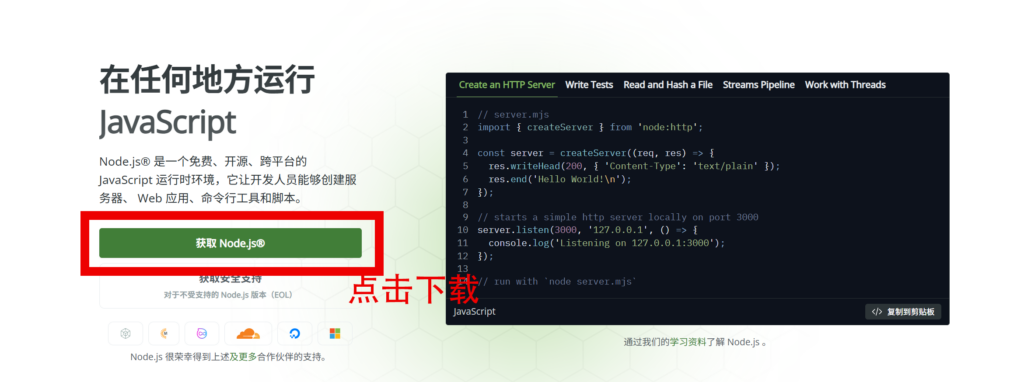
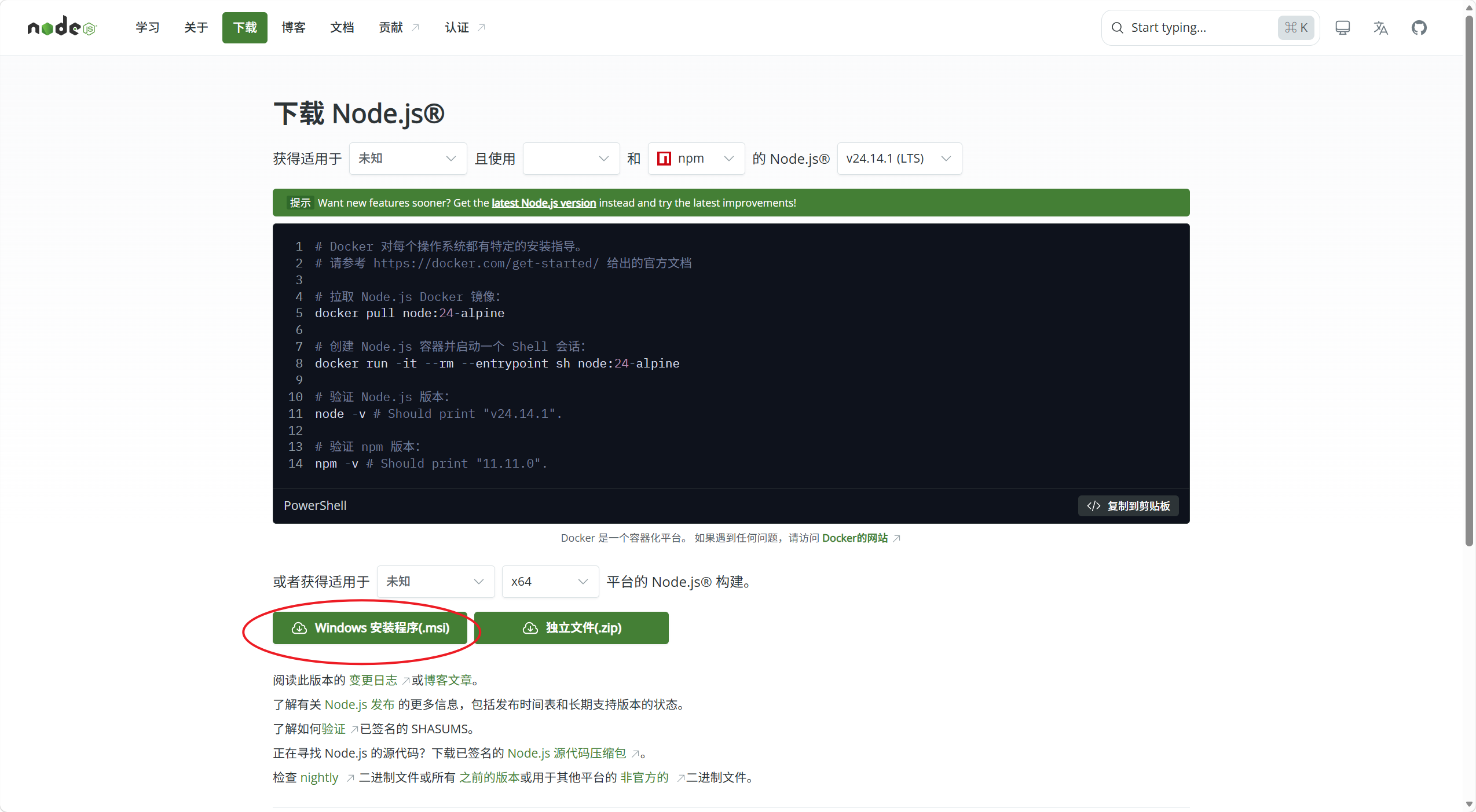
点击绿色按钮,获取Node.js,若有安装的设置一律默认即可。
2. 安装依赖 Git
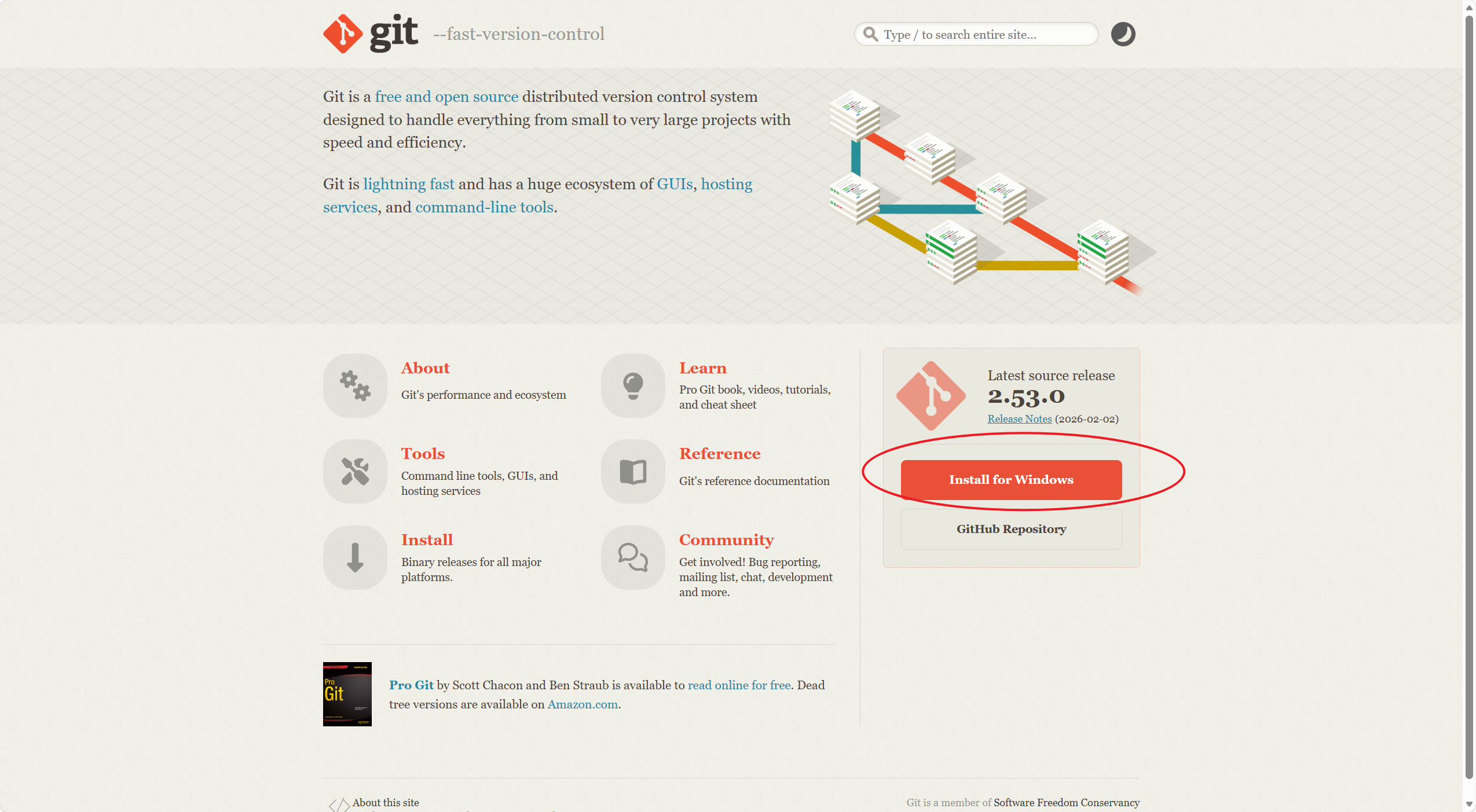
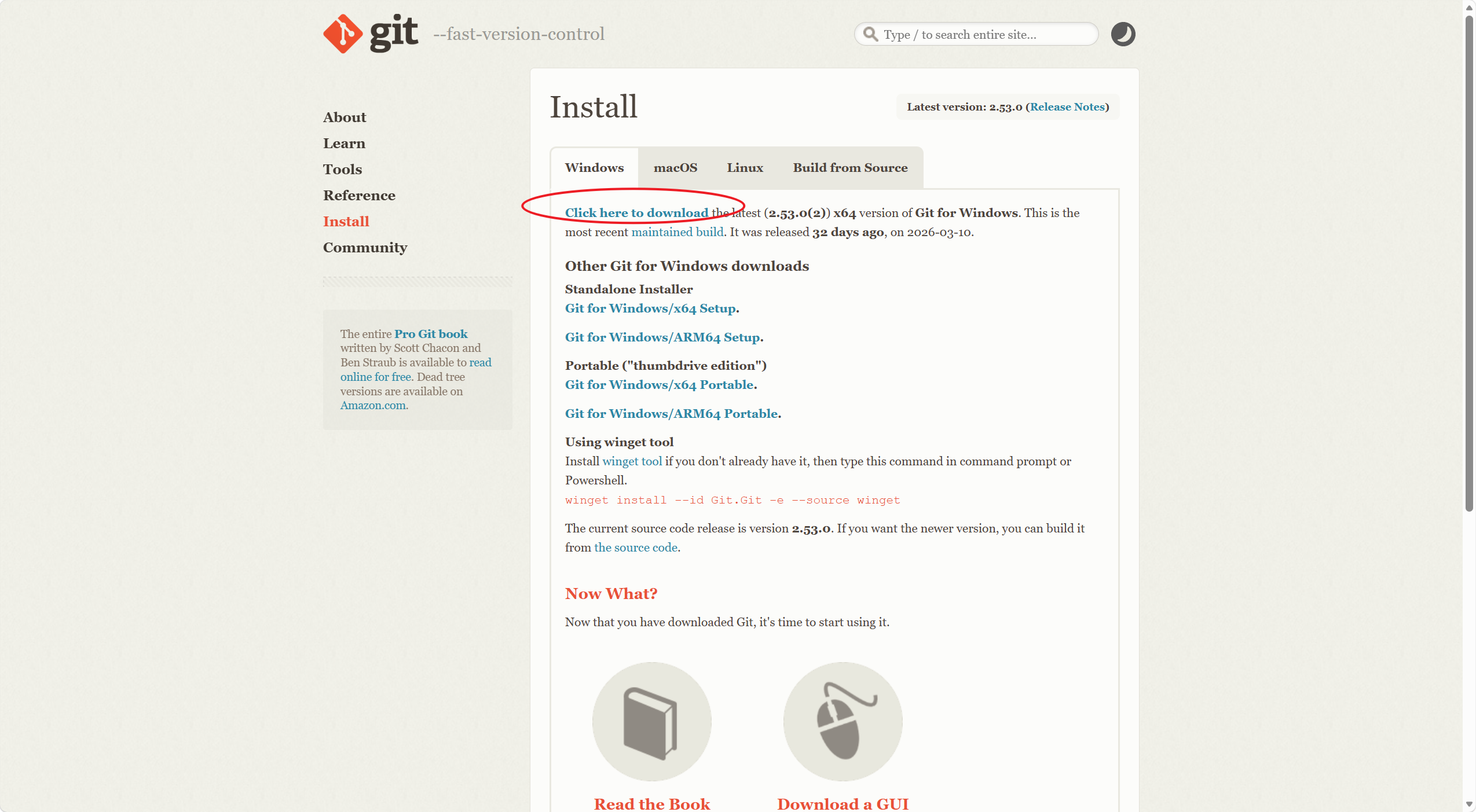
2.解锁系统限制
使用右键windows的终端管理员
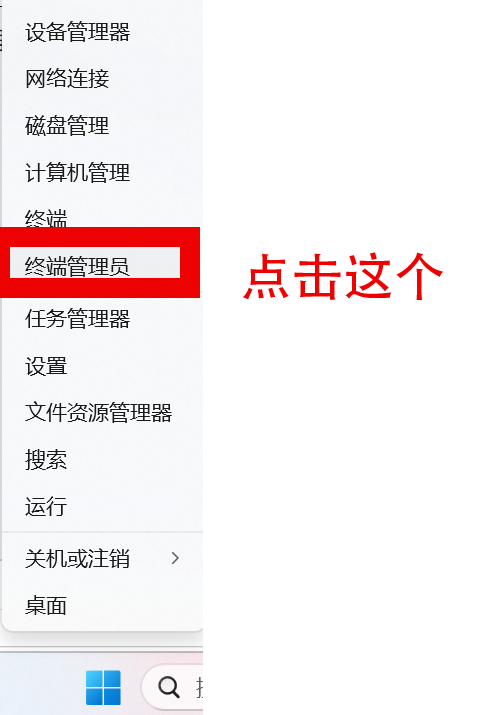
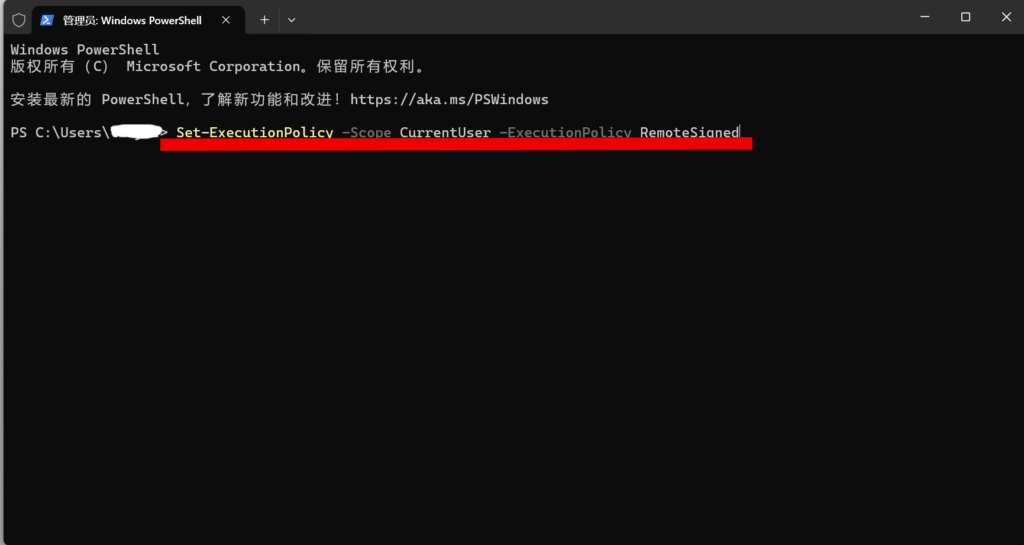
打开终端管理员后,输入下述代码
Set-ExecutionPolicy -Scope CurrentUser -ExecutionPolicy RemoteSigned如下图所示:
使用右键windows的终端
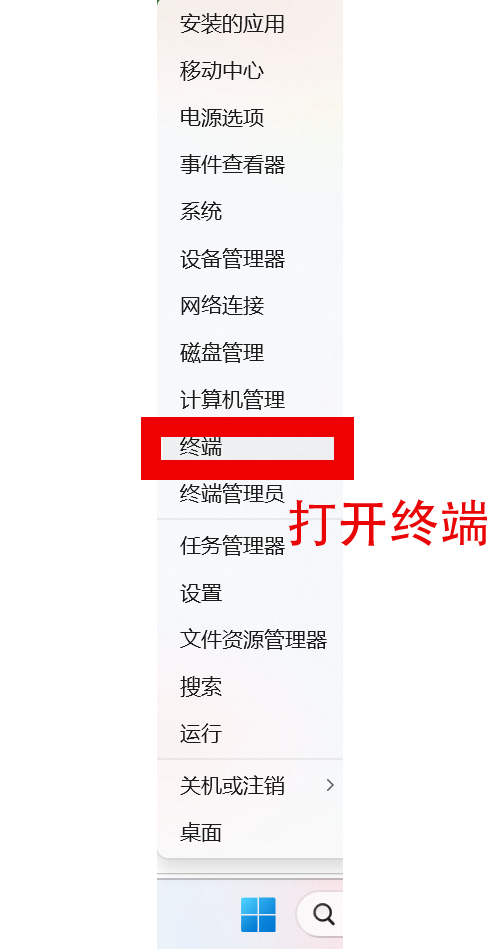
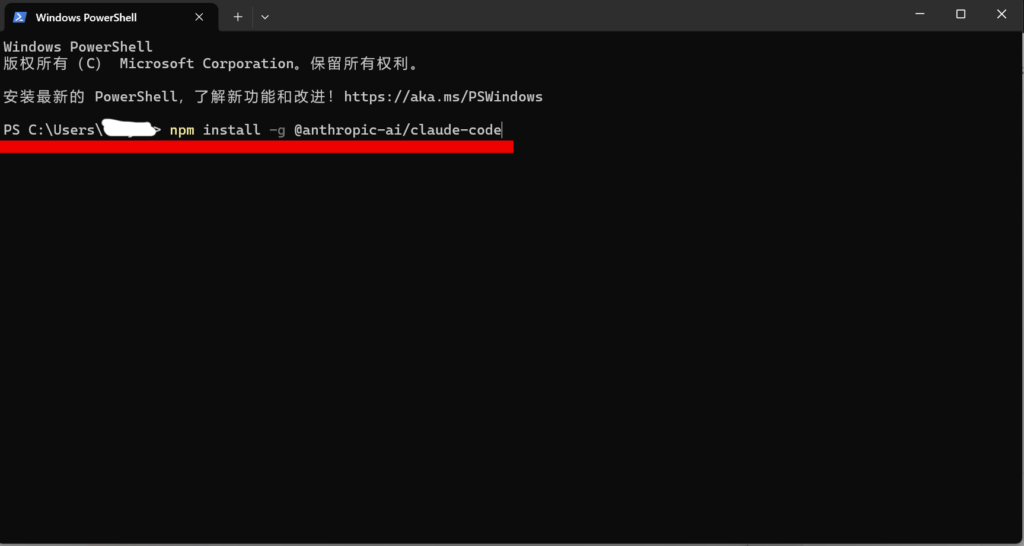
打开终端后,输入下述代码:
npm install -g @anthropic-ai/claude-code如下图所示:
3.安装vs code插件
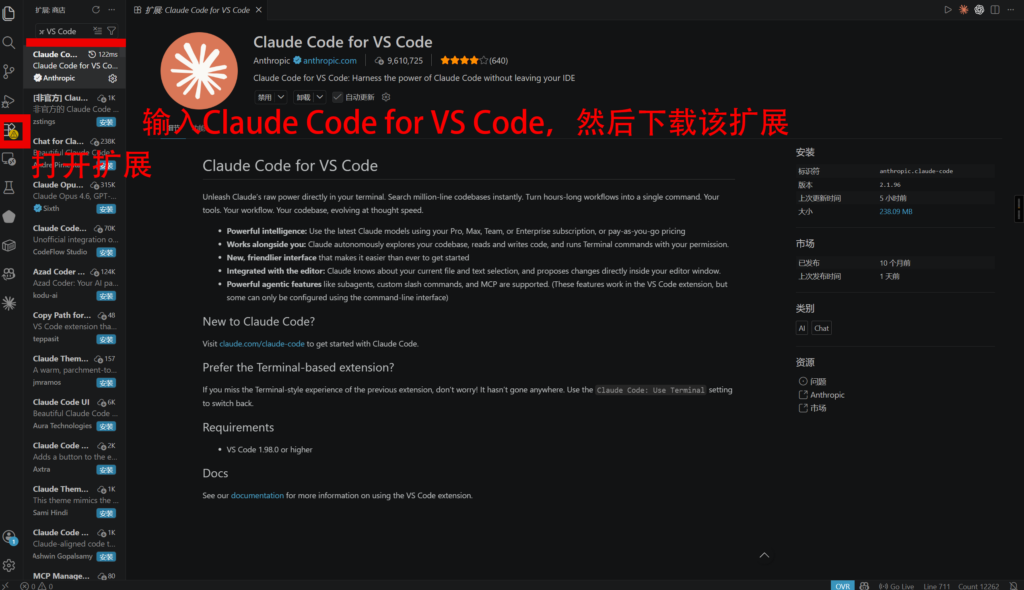
先打开vs code,然后打开扩展,安装 Claude Code for VS Code。
4.安装配置软件cc switch
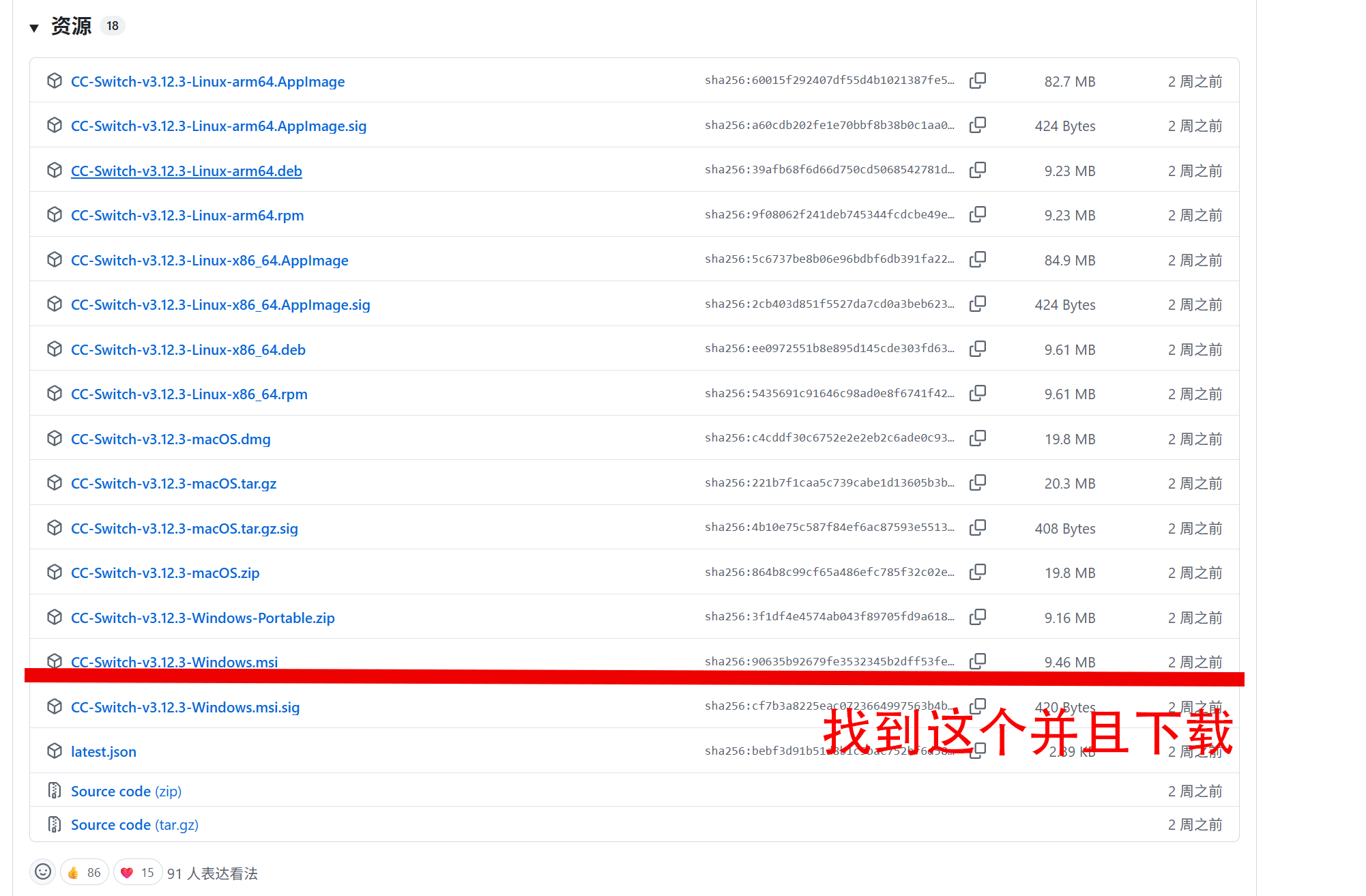
下载网址:https://github.com/farion1231/cc-switch/releases/latest
找到CC-Switch-v3.xx-Windows.msi并且下载文件
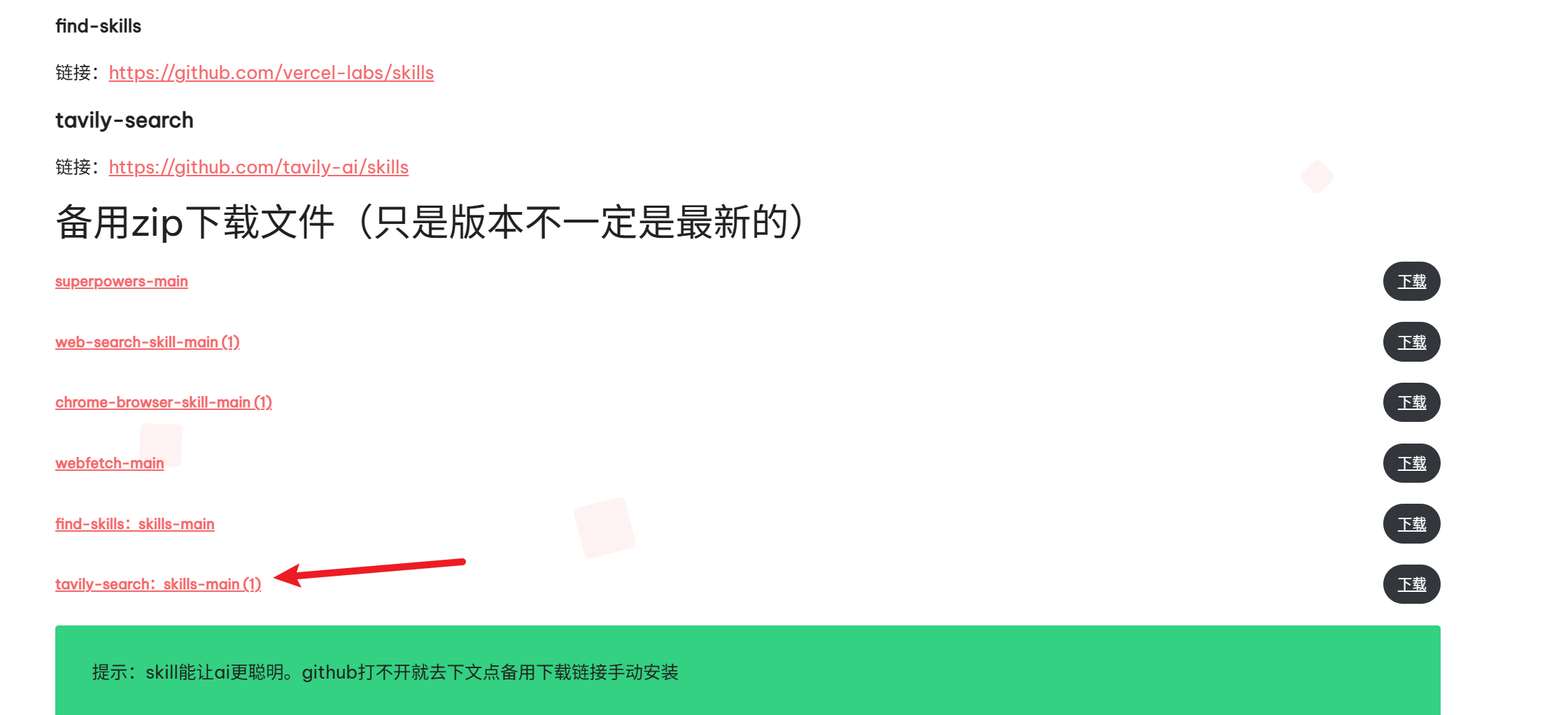
备用下载文件(只是版本不一定是最新的)
5.注册账号生成key
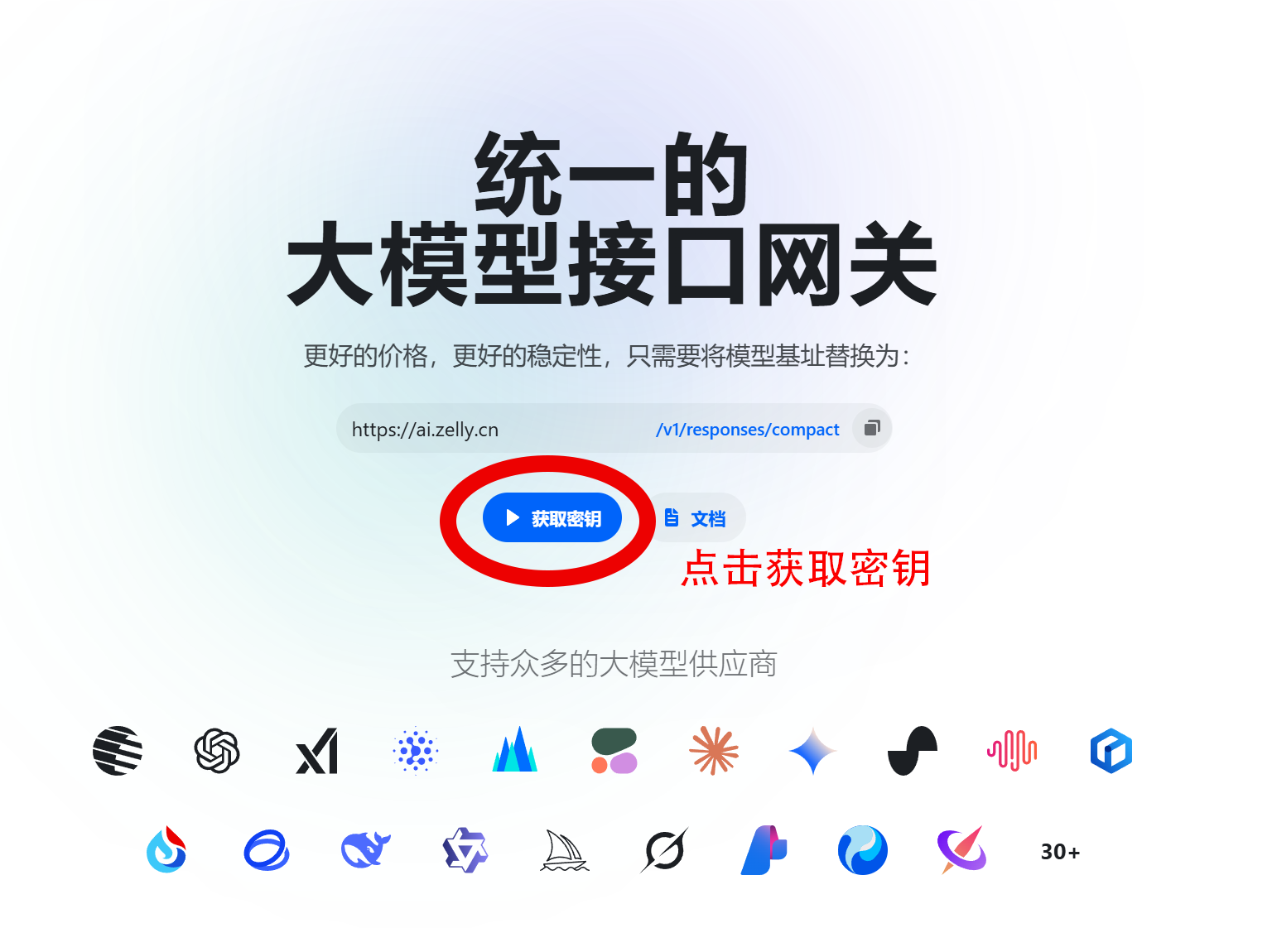
打开网址:https://ai.zelly.cn/
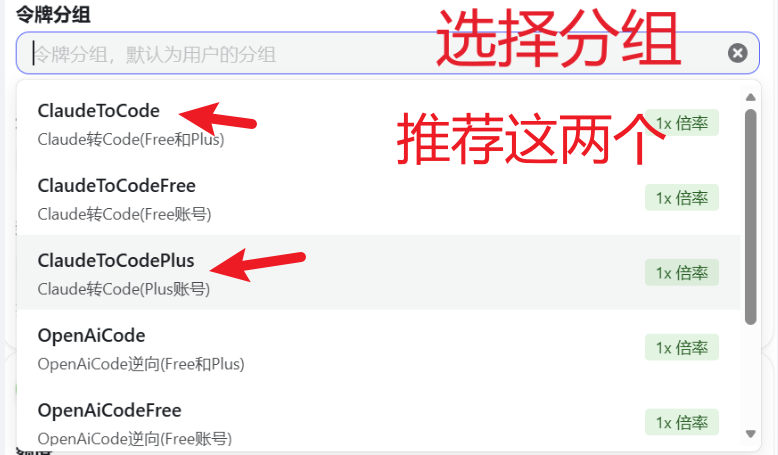
注册一个账号并且获取一个密钥key



6.打开 cc swith
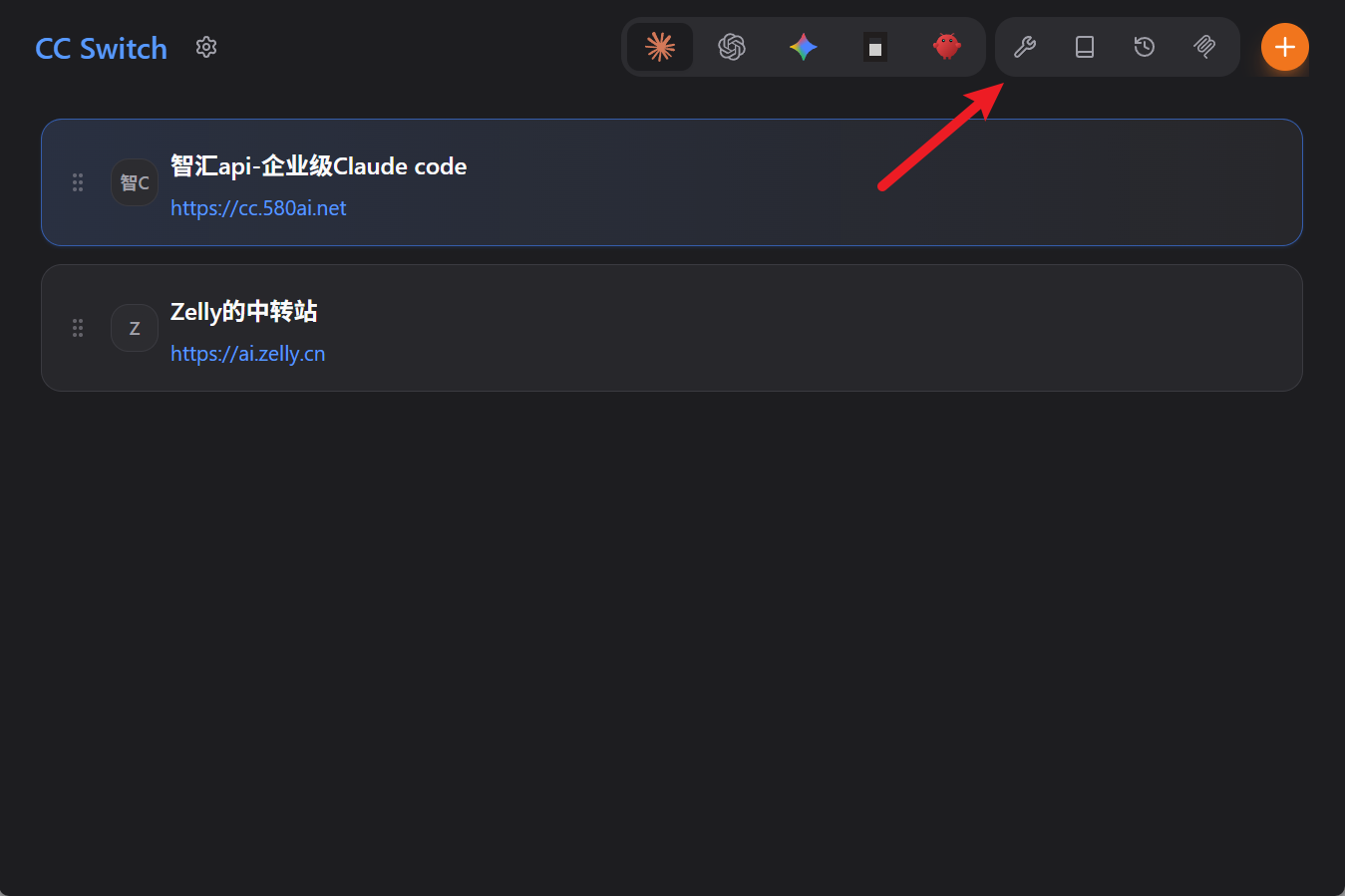
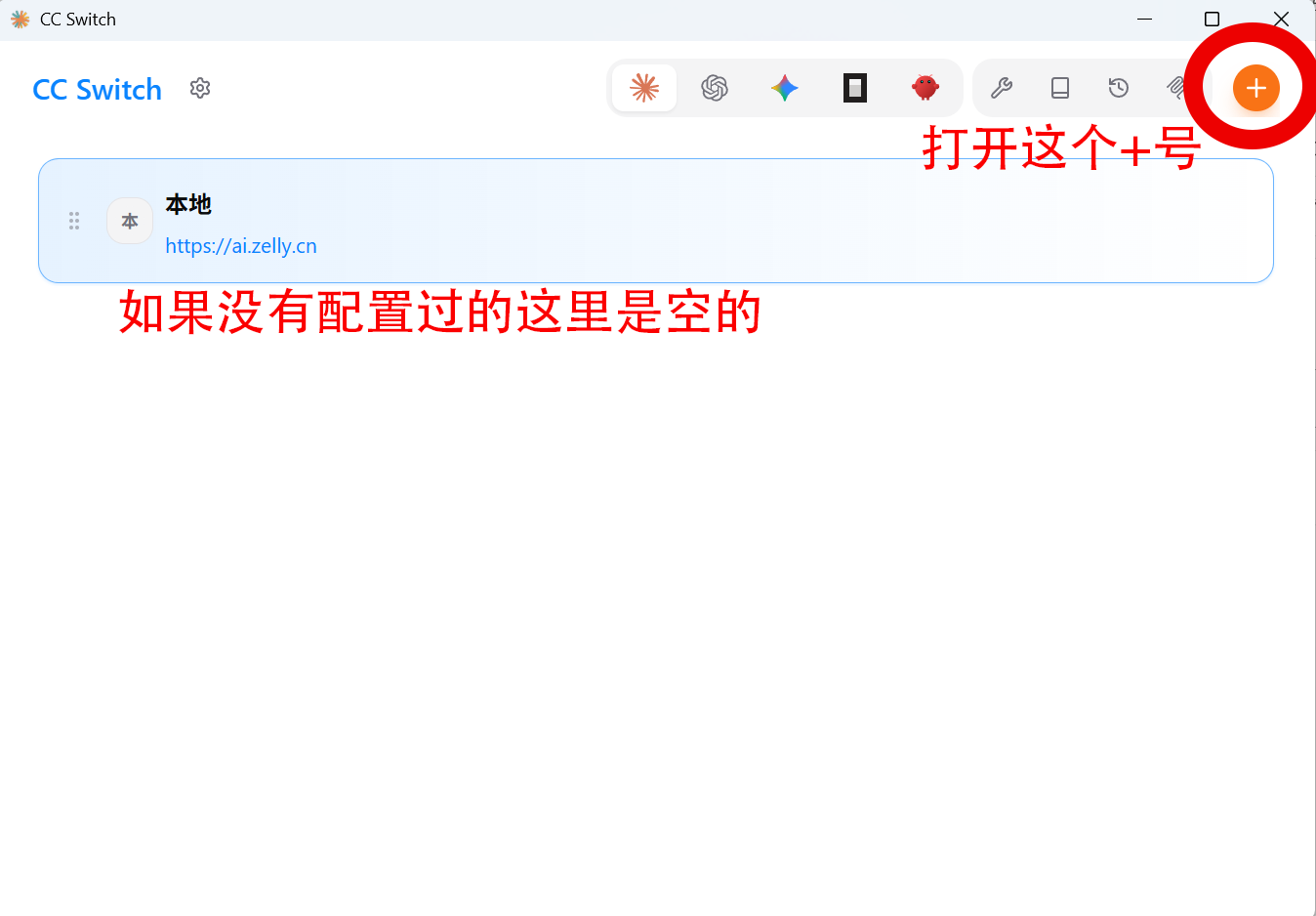
打开这个软件

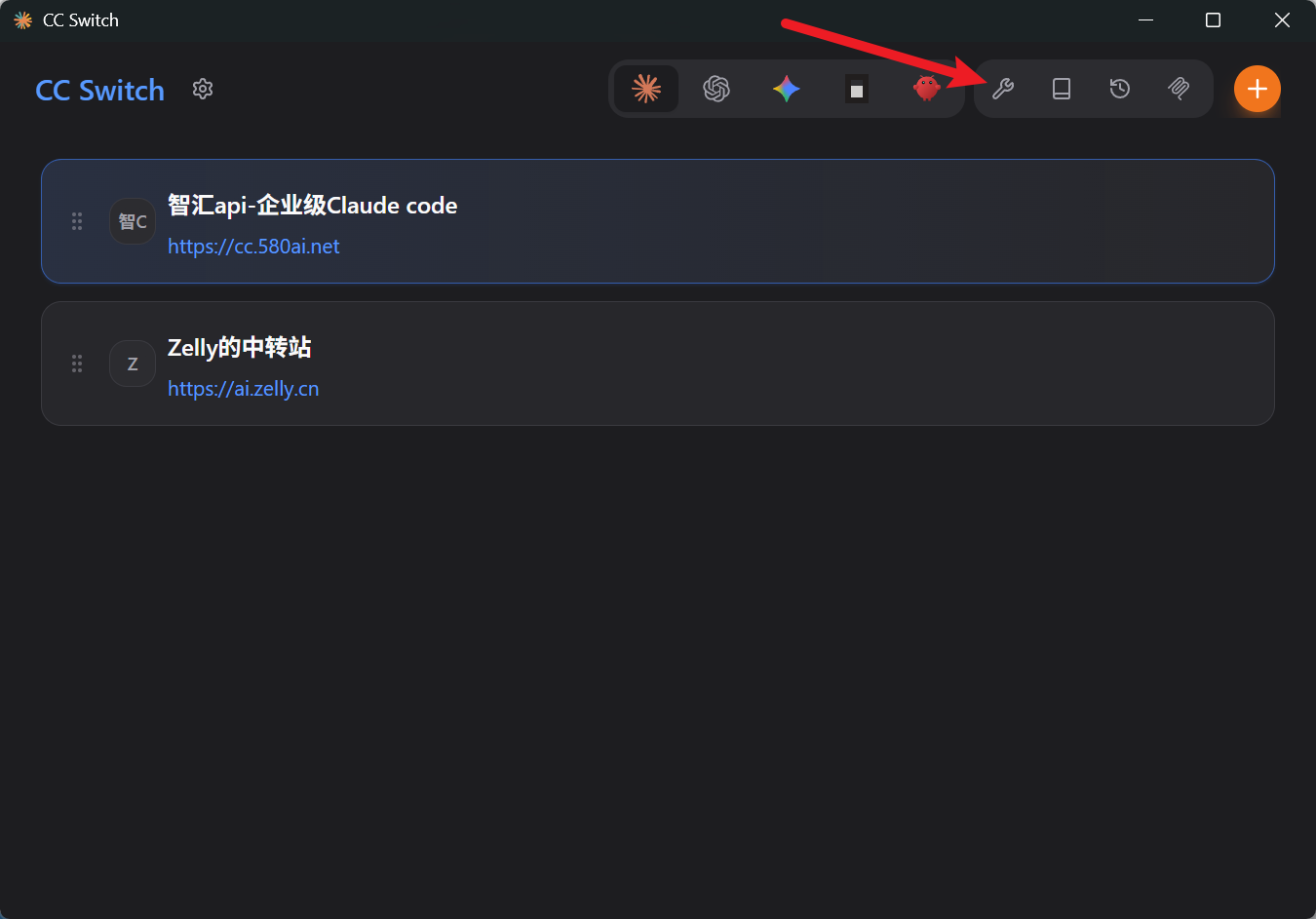
然后按照图片找到对应的+号进行配置
找到如下图所示的配置
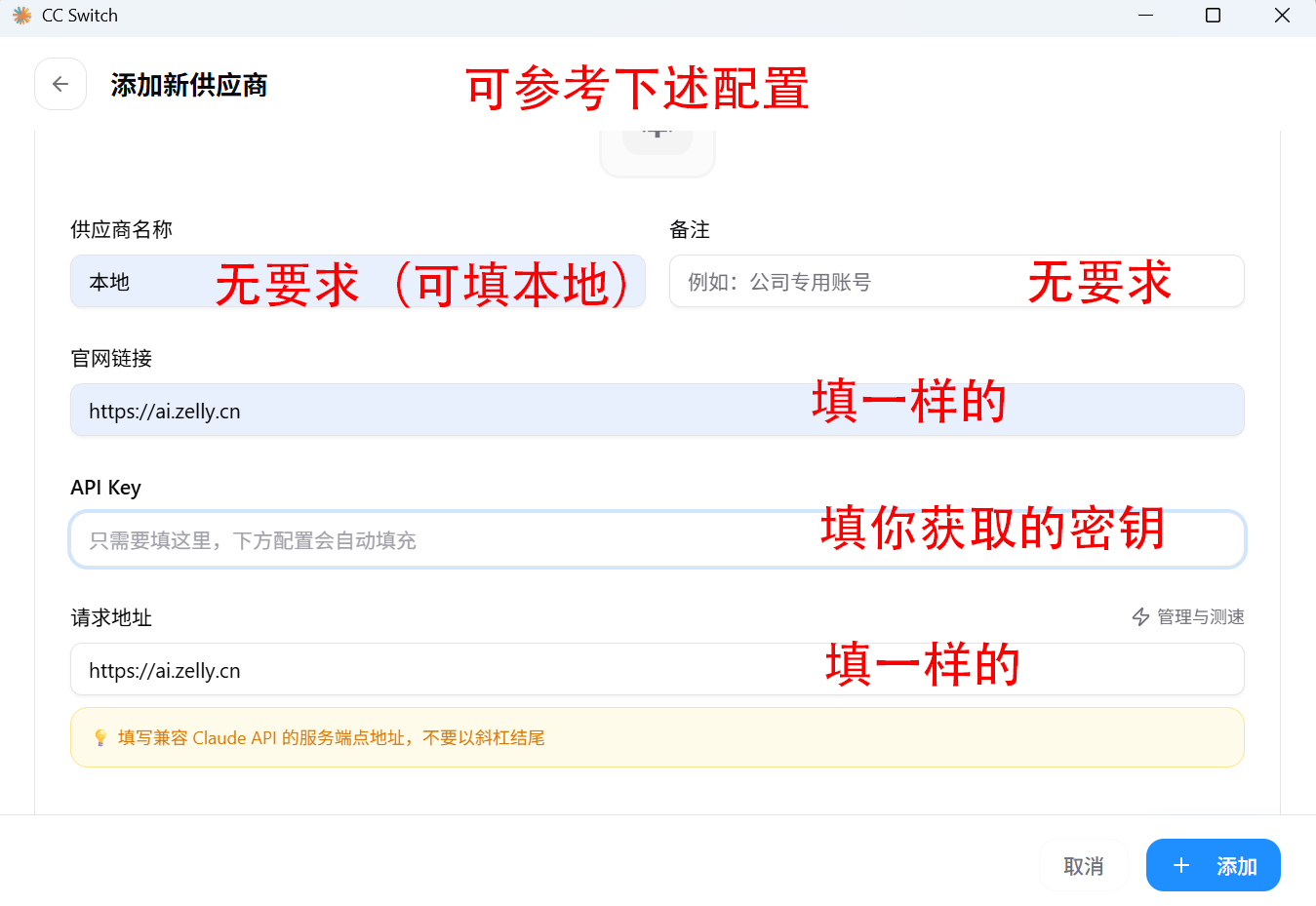
同时找到下面这个配置
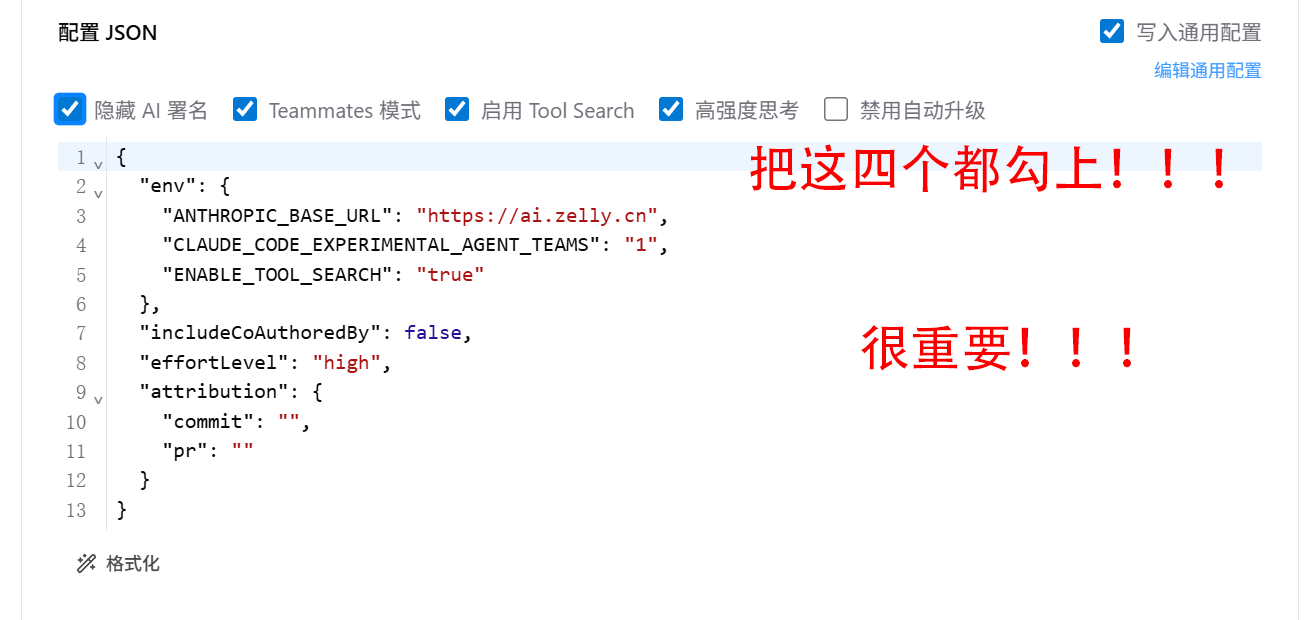
配置完后就可以添加了.
安装Skills
web-search-skill
链接:https://github.com/yejinlei/web-search-skill
chrome-browser-skill
链接:https://github.com/endcycles/chrome-browser-skill
superpowers
链接:https://github.com/obra/superpowers
webfetch
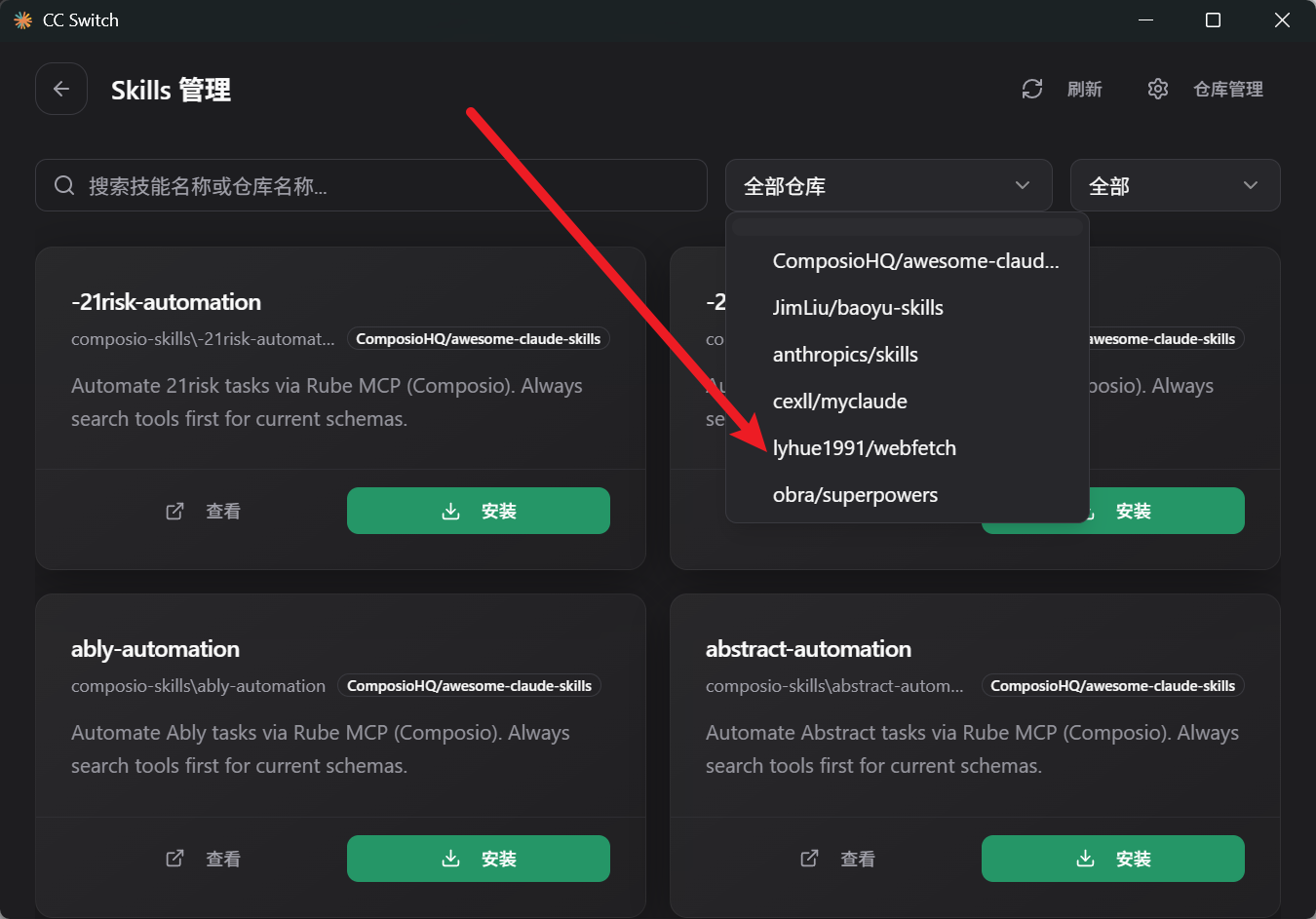
链接:https://github.com/lyhue1991/webfetch
find-skills
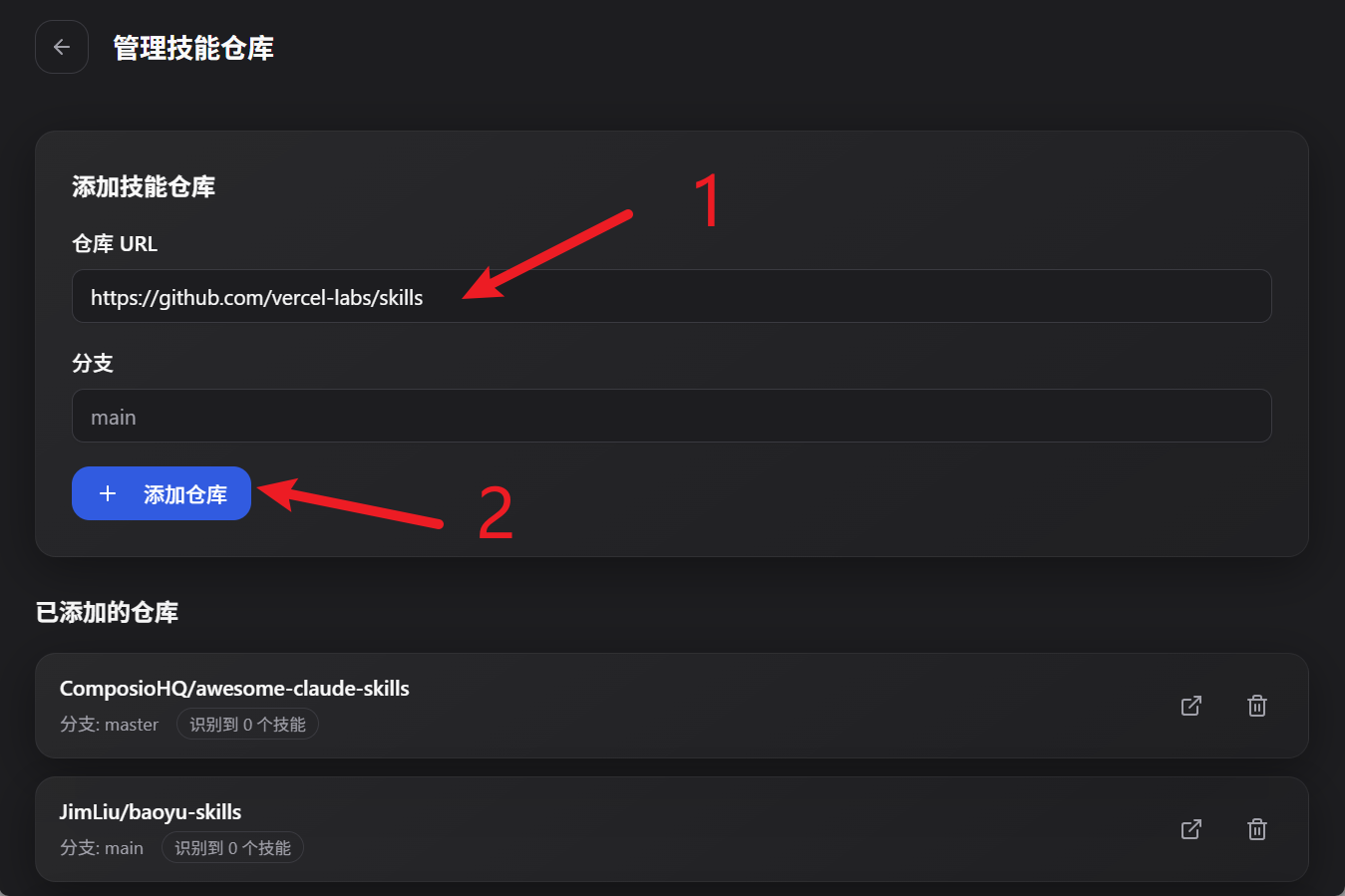
链接:https://github.com/vercel-labs/skills
tavily-search
链接:https://github.com/tavily-ai/skills
https://github.com/op7418/Humanizer-zh
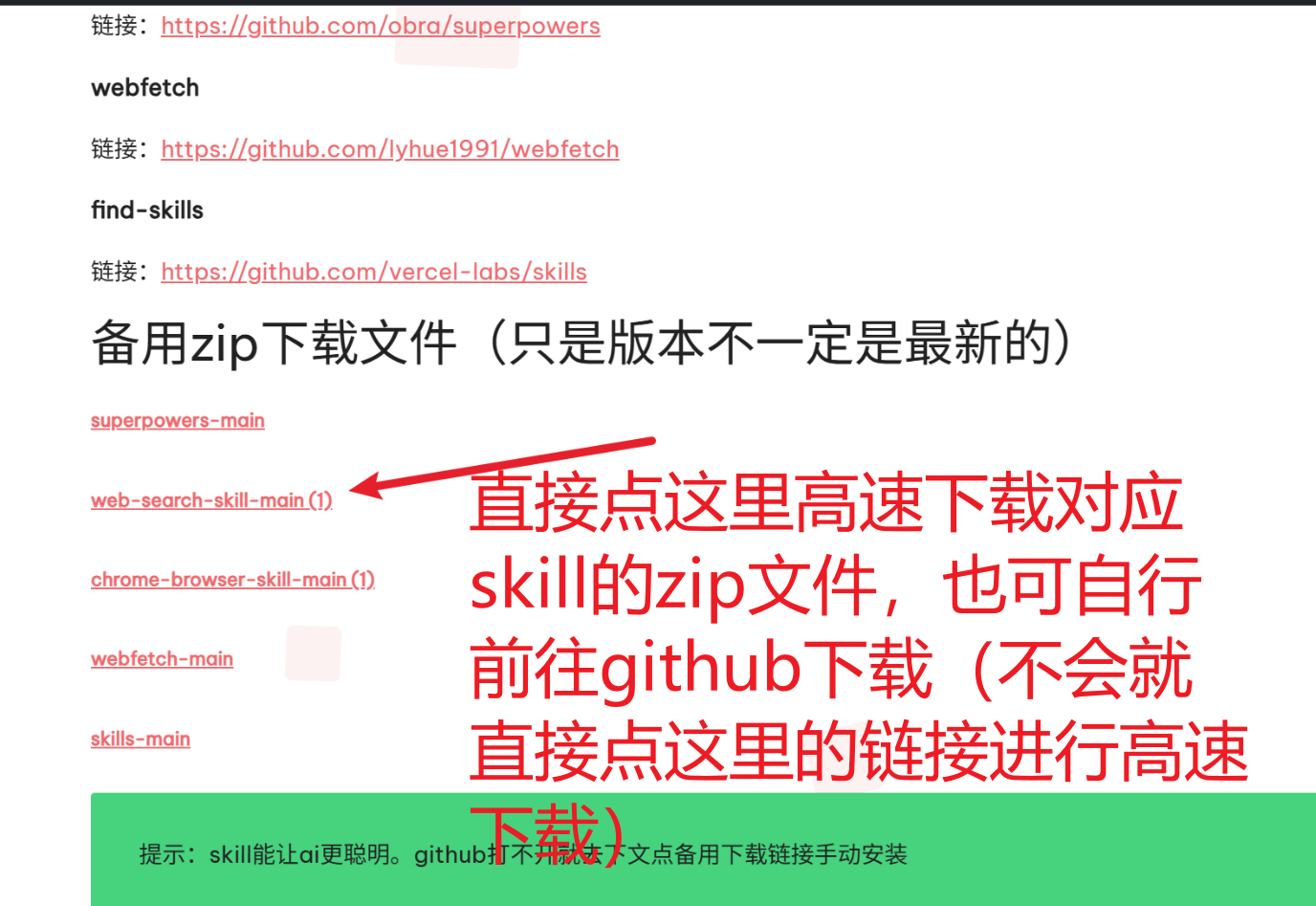
备用zip下载文件(只是版本不一定是最新的)
提示:skill能让ai更聪明。github打不开就去下文点备用下载链接手动安装
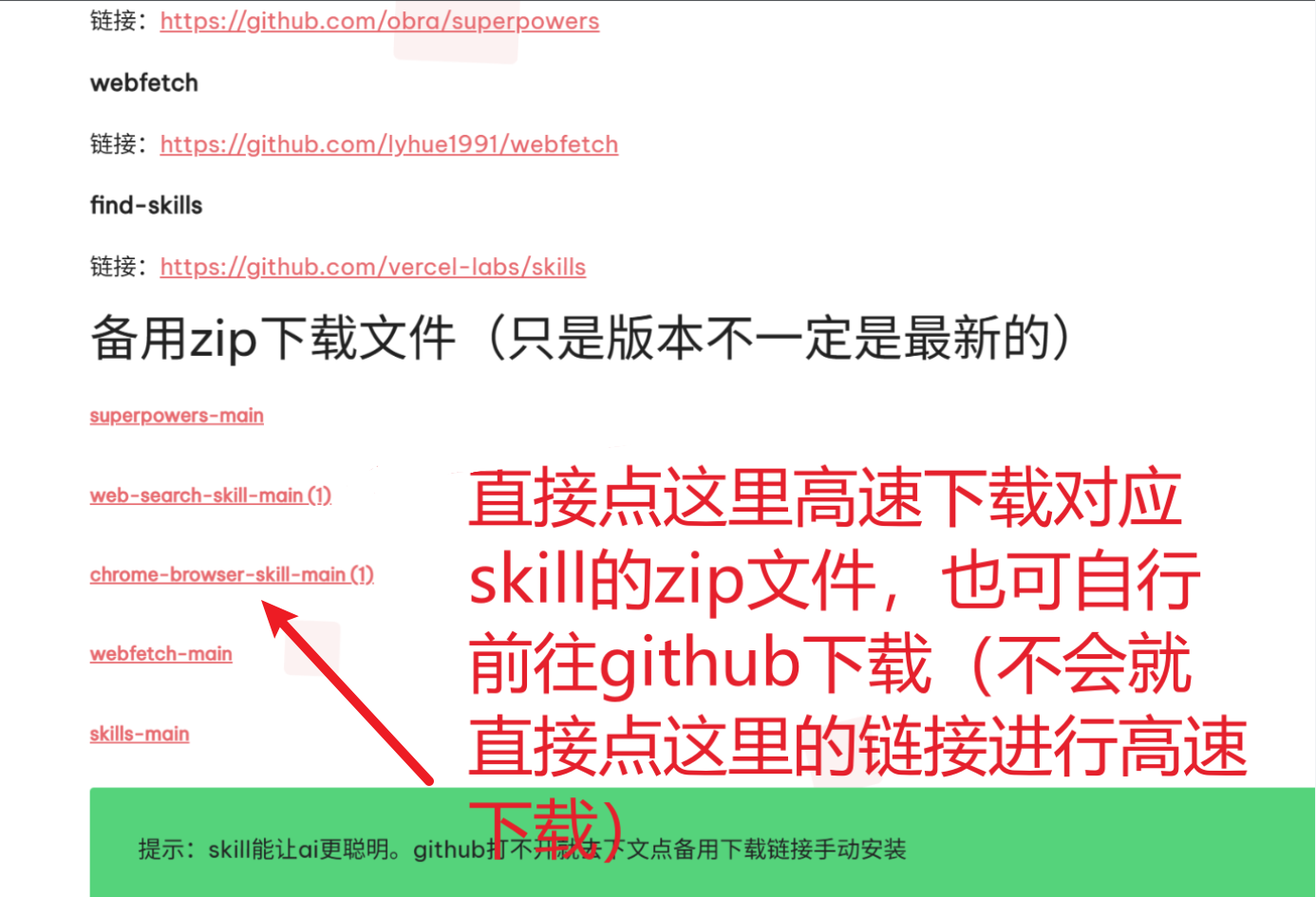
注意,chrome-browser-skill,web-search-skill只能手动安装,其余可以非手动安装
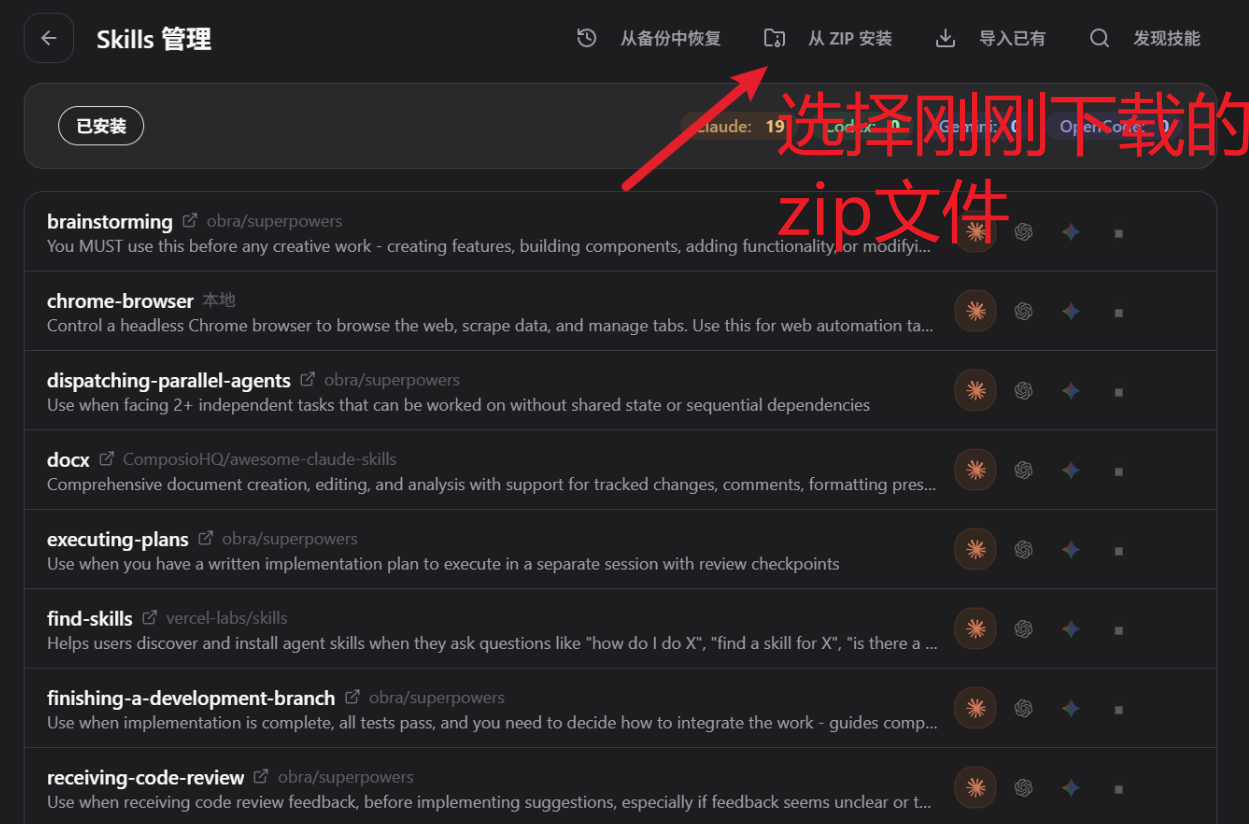
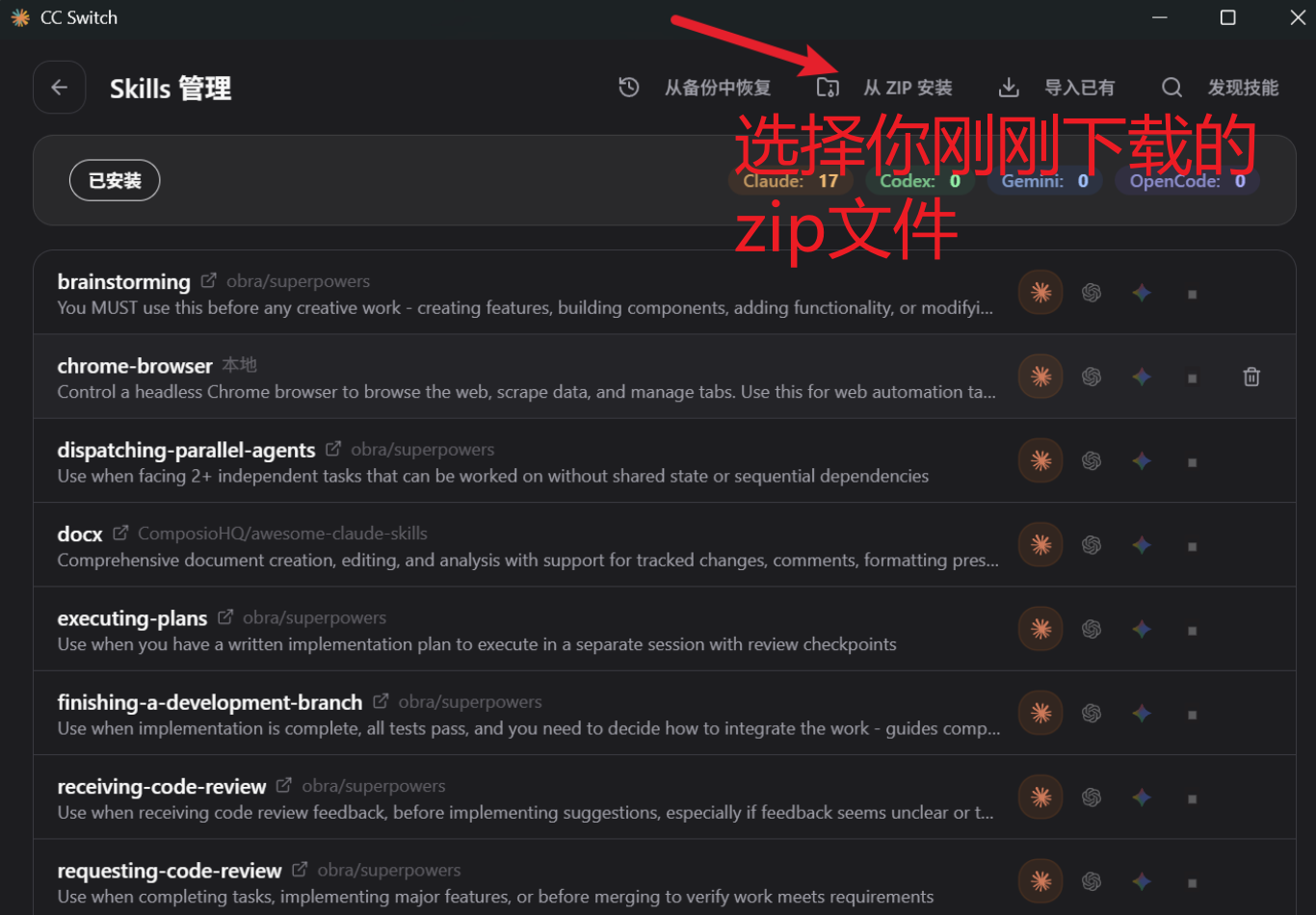
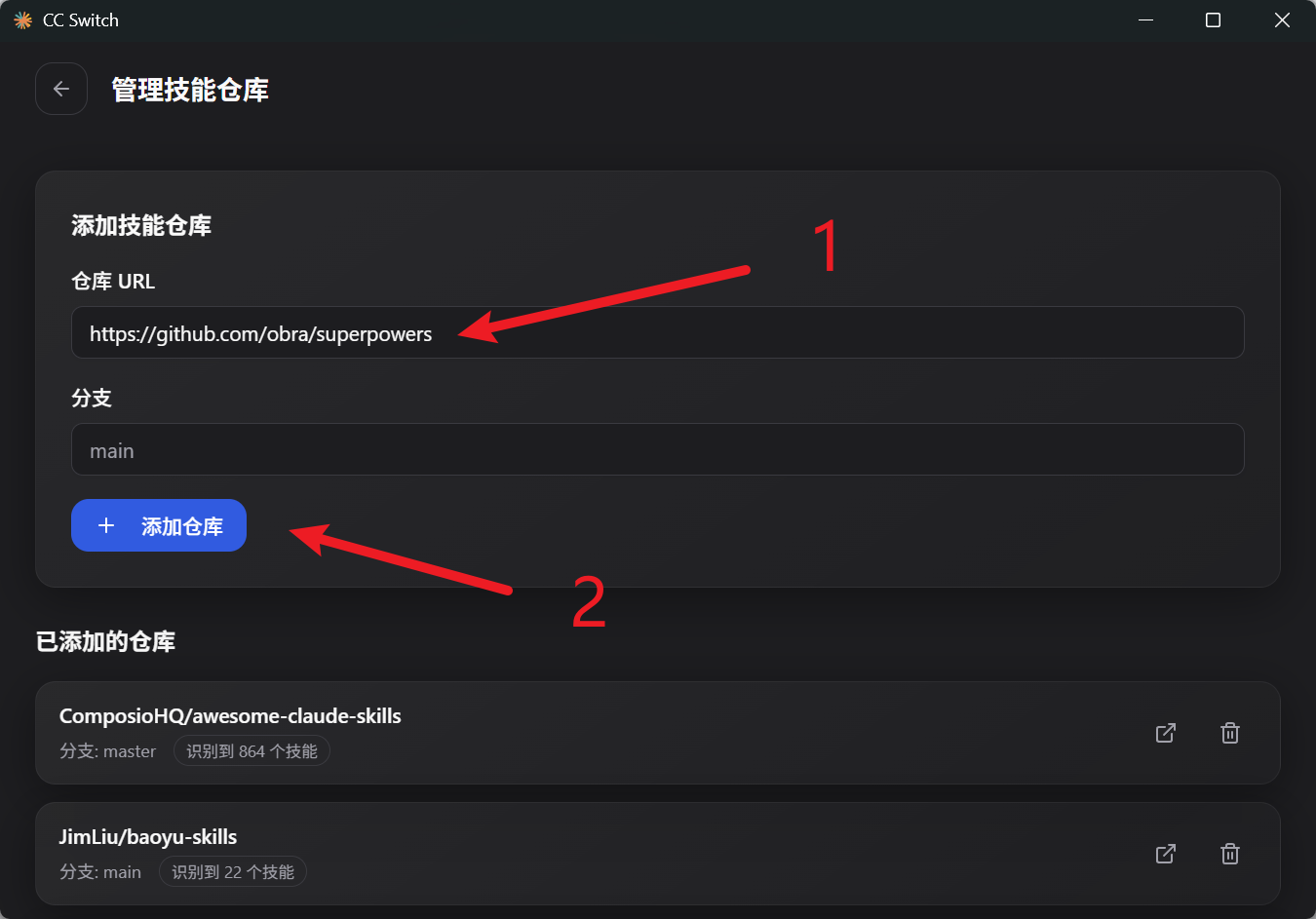
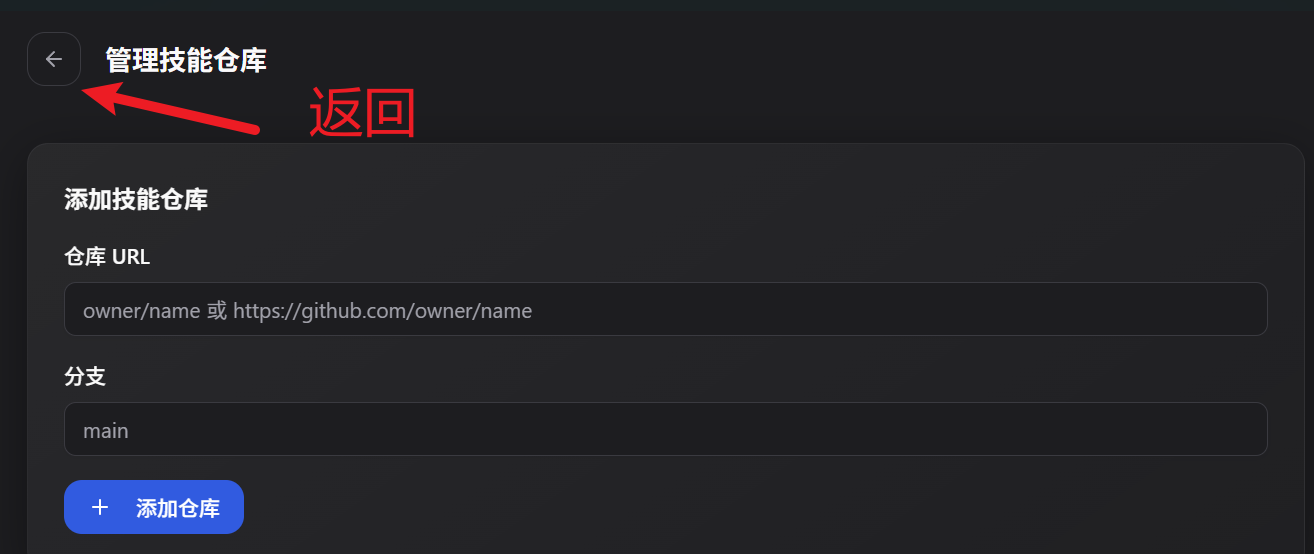
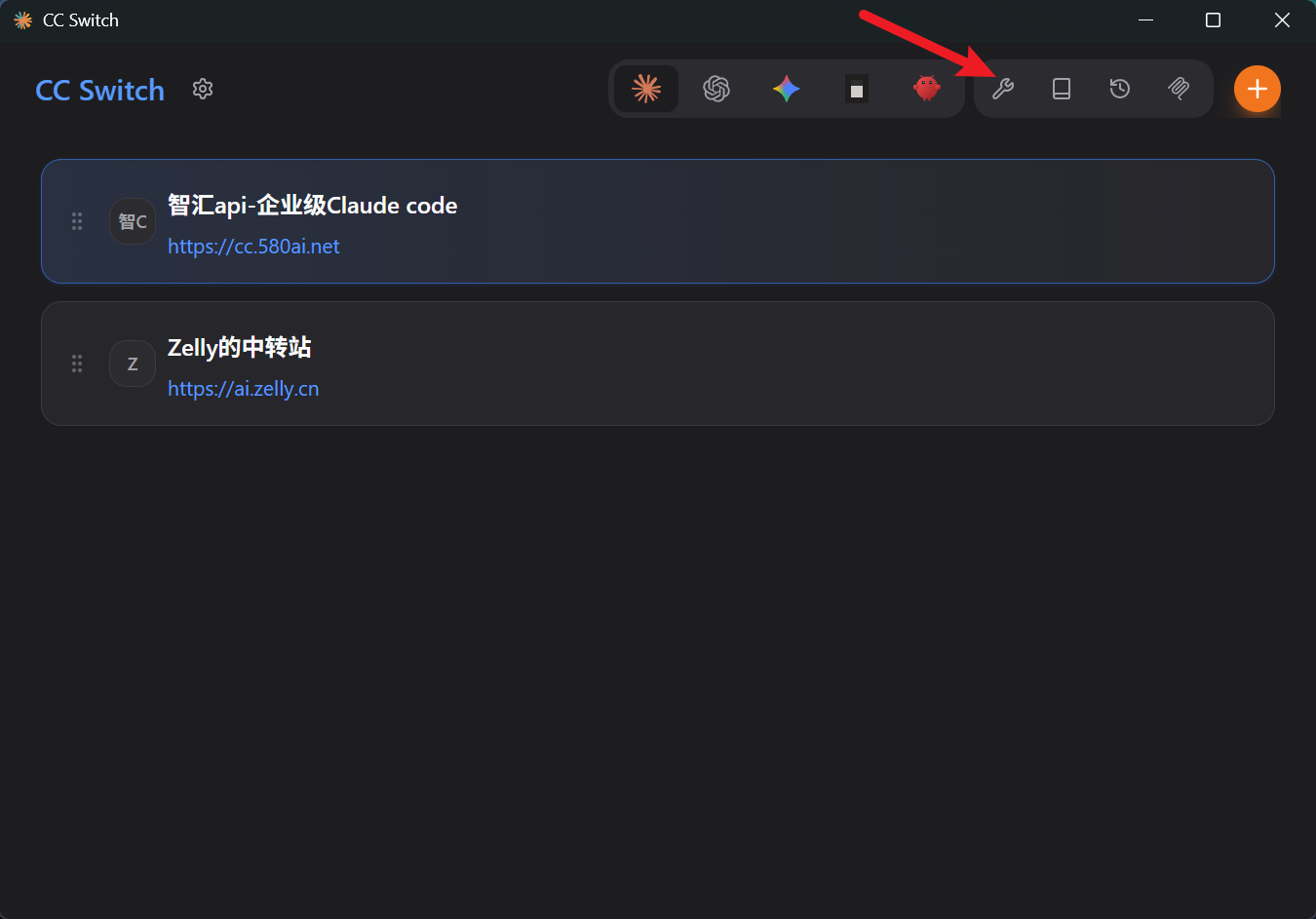
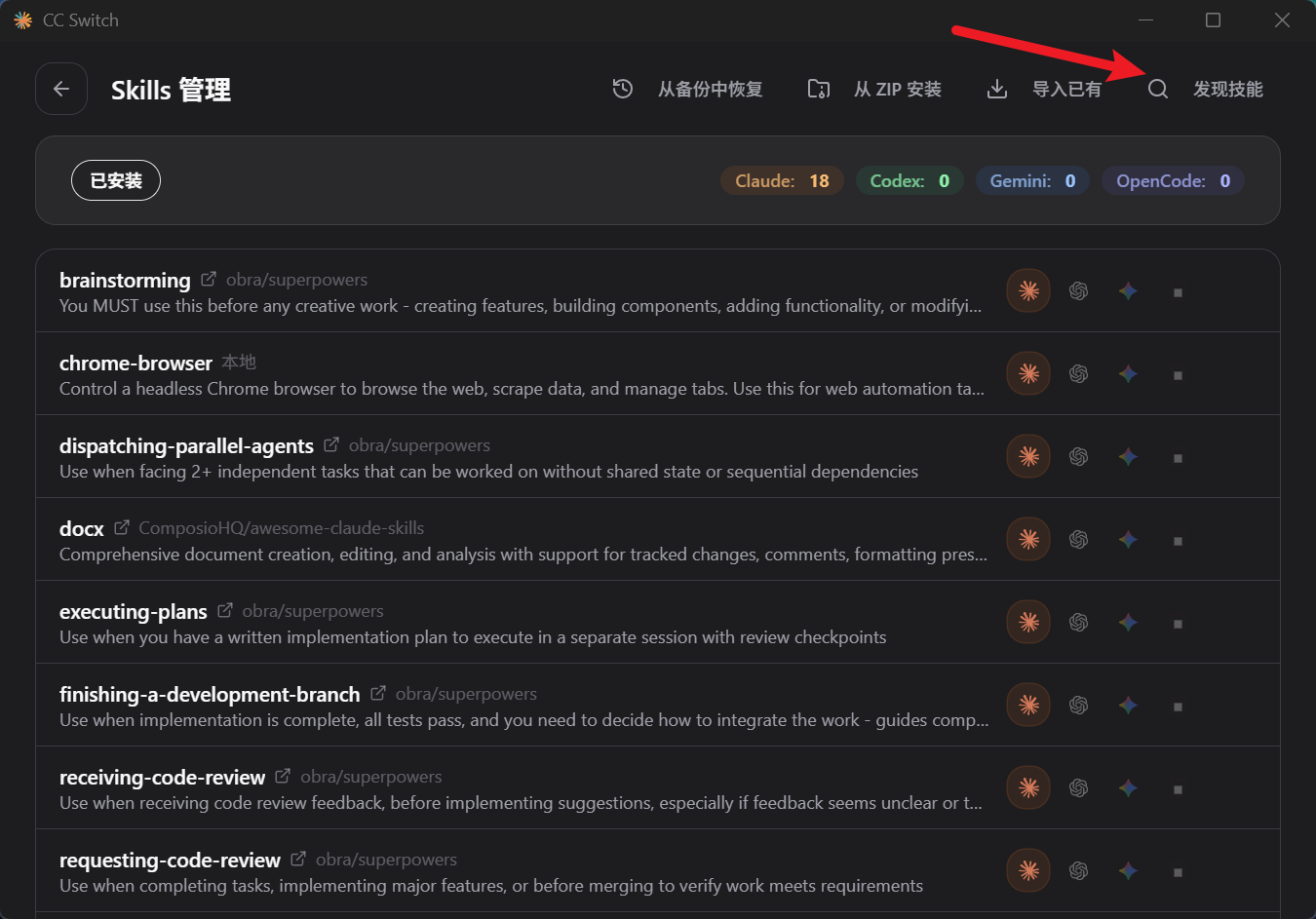
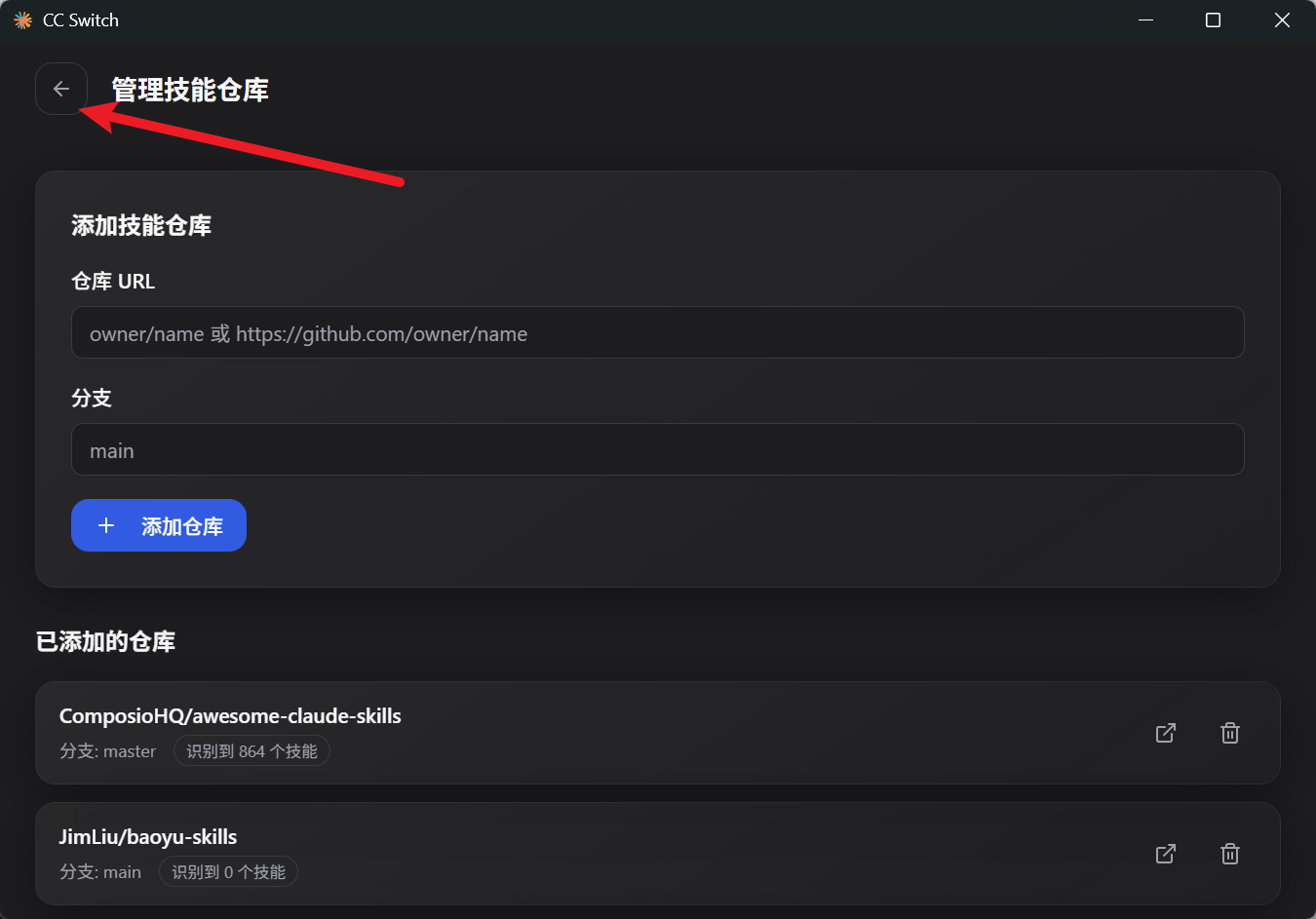
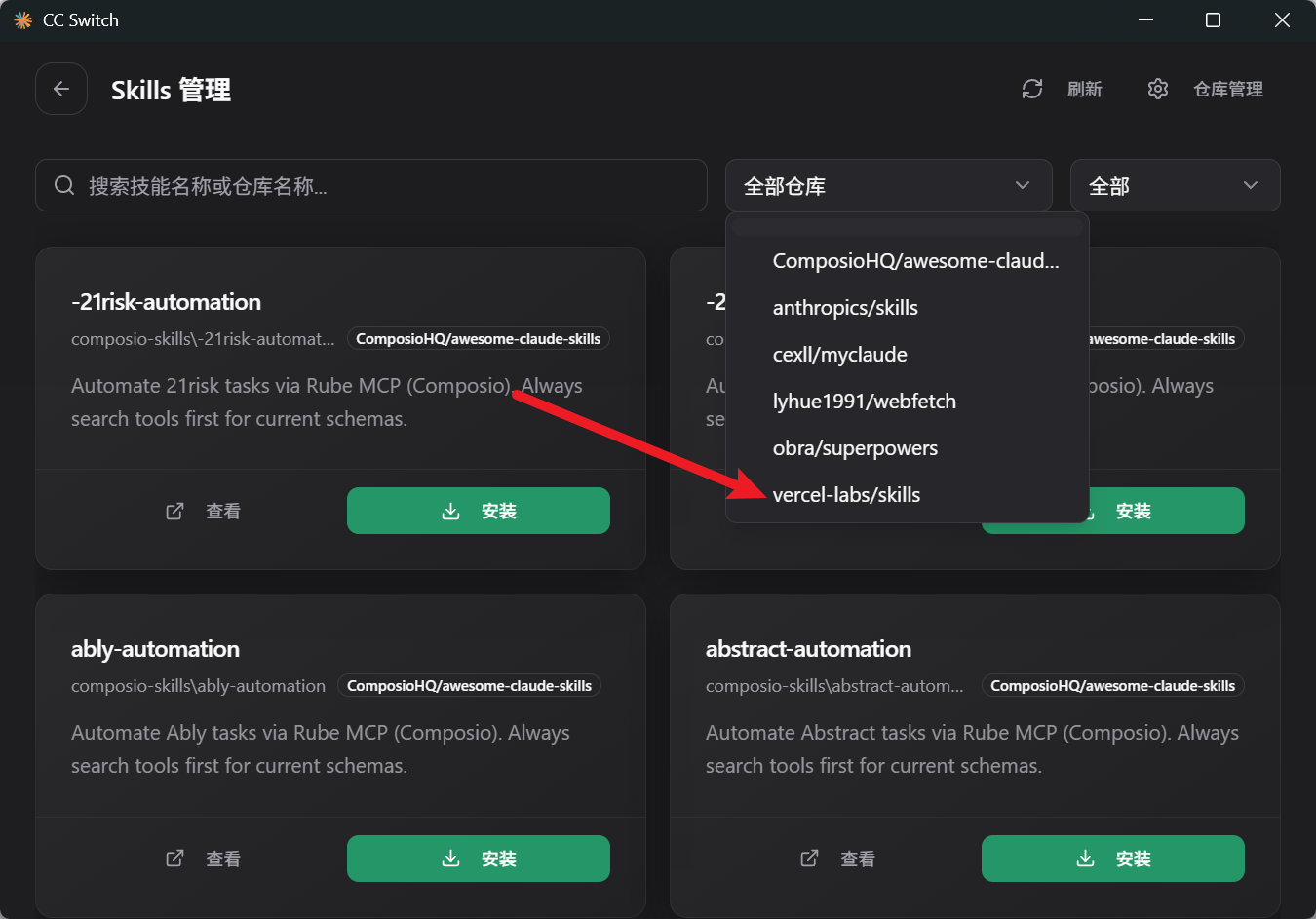
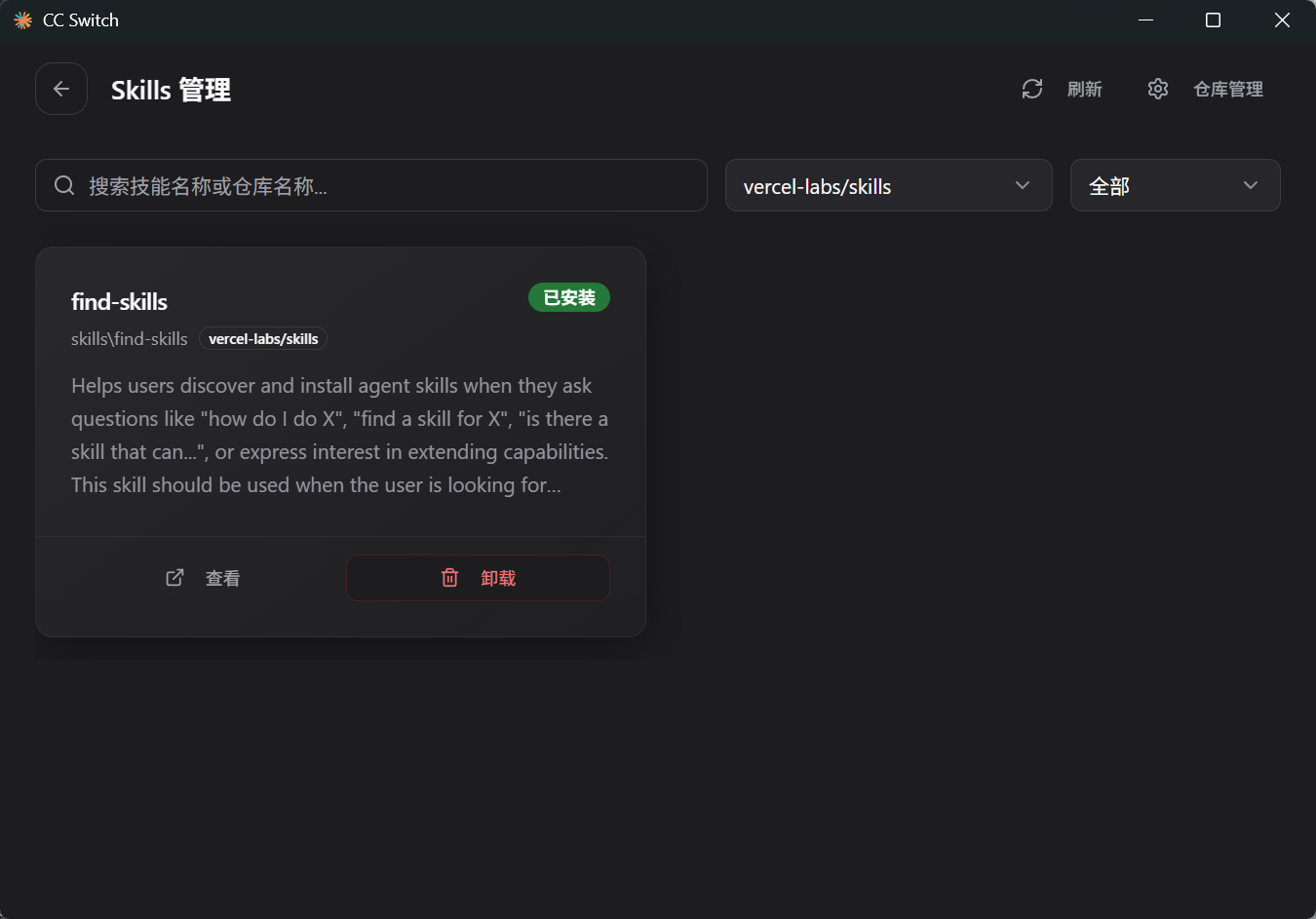
手动安装就是自己去github下载zip文件导入,自动安装就是导入链接。以下是手动安装和自动安装方式的教程
详细的skill安装教程:
1,web-search-skill
2,chrome-browser-skill
3,superpowers



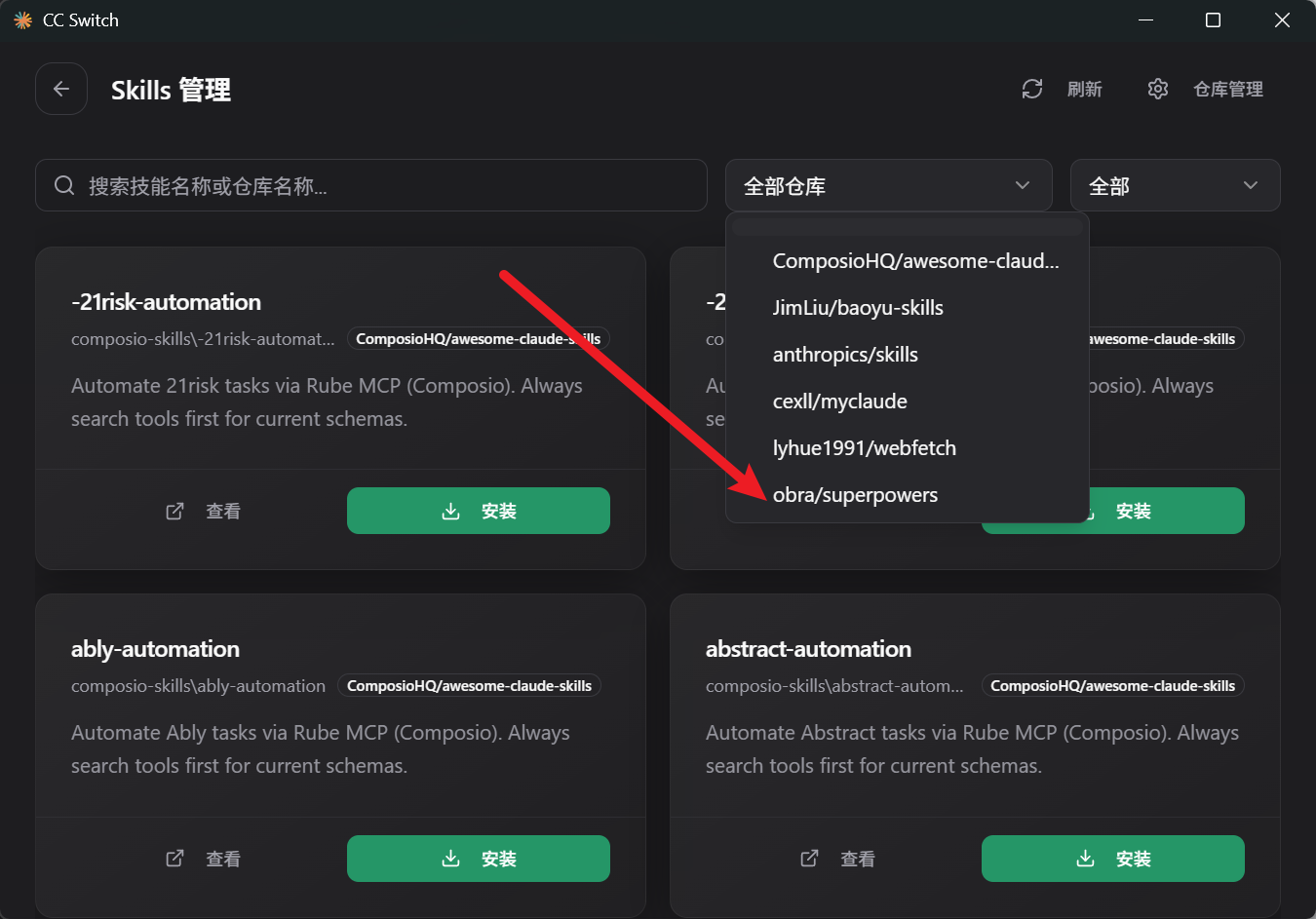
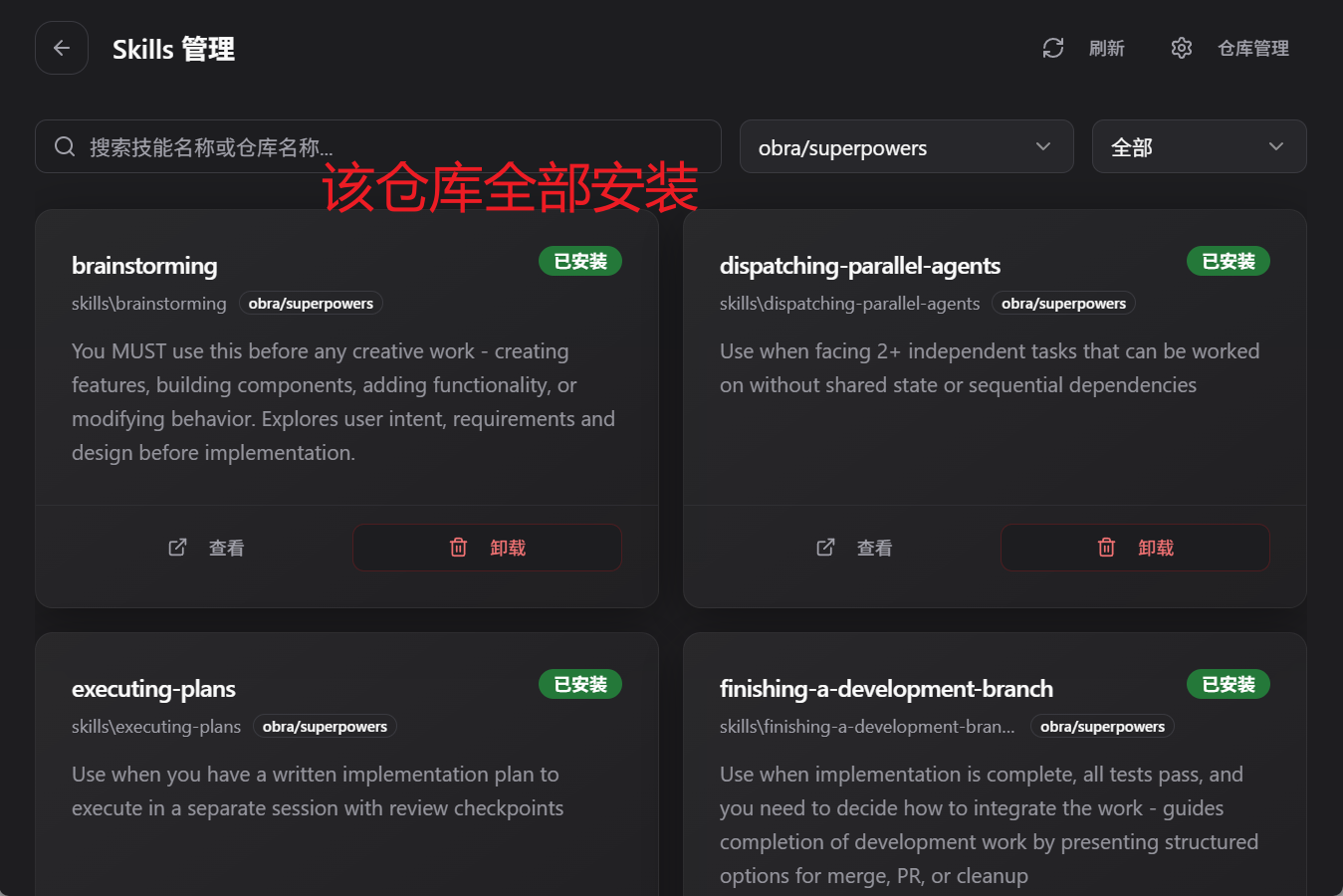
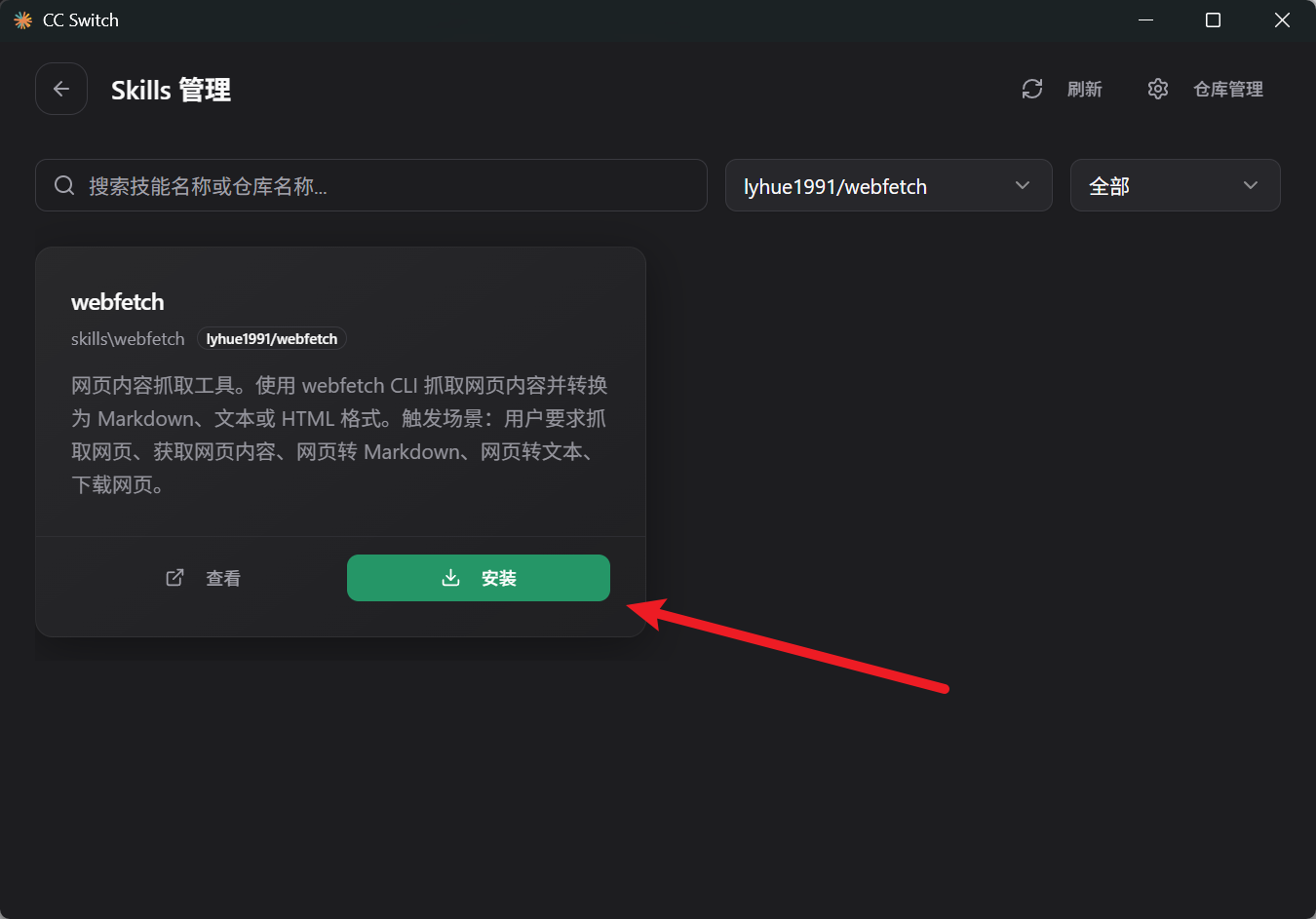
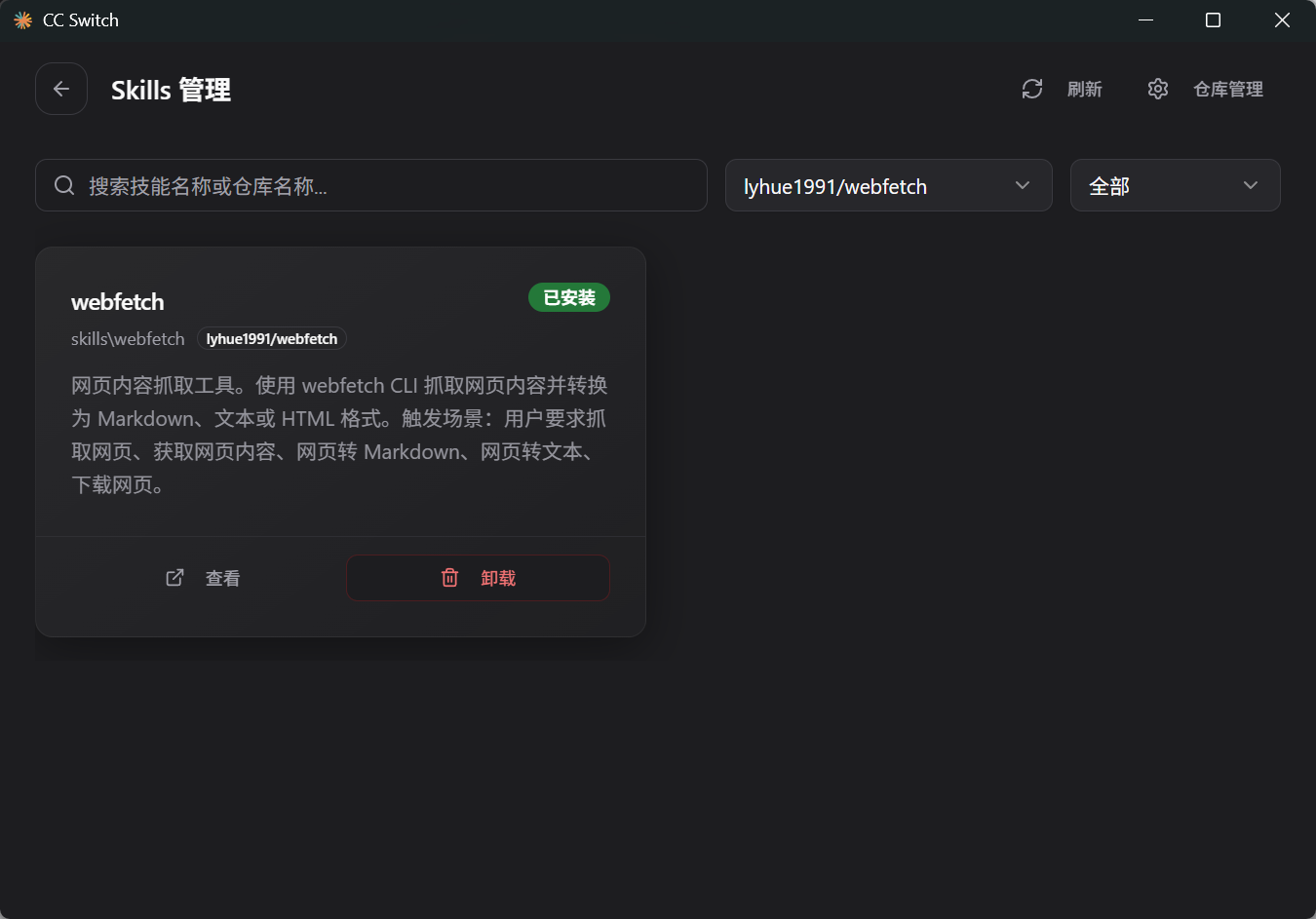
4,webfetch
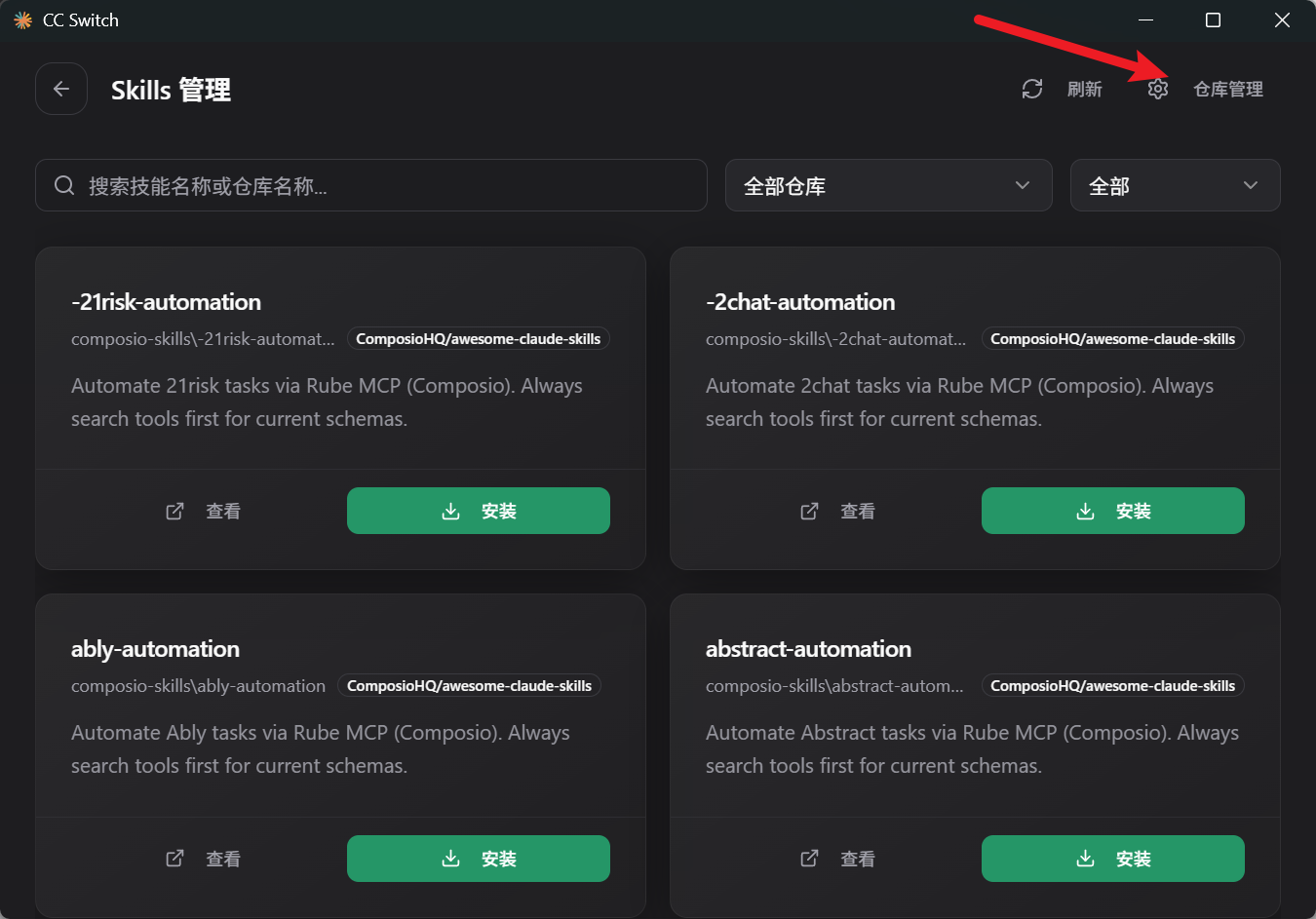
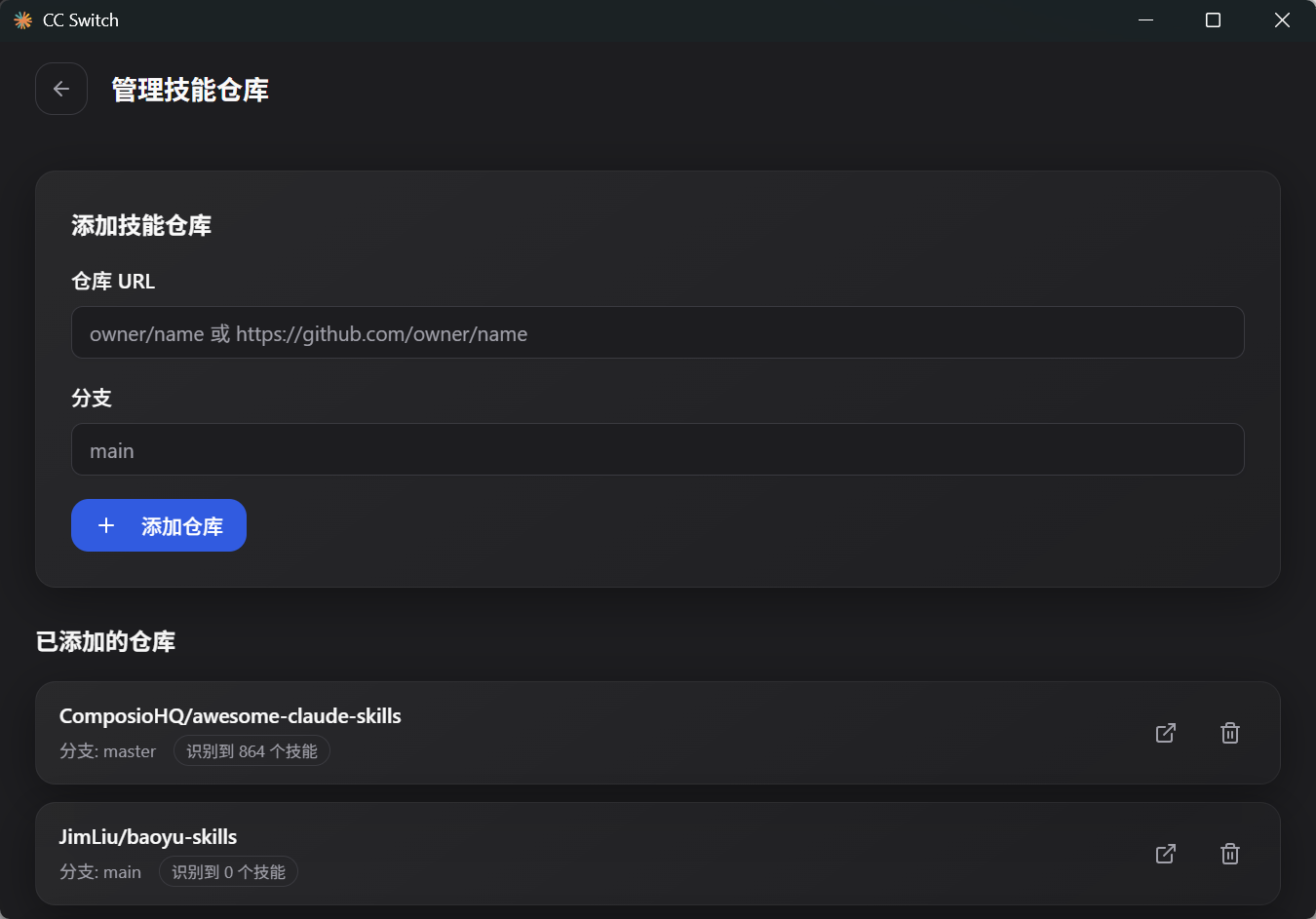
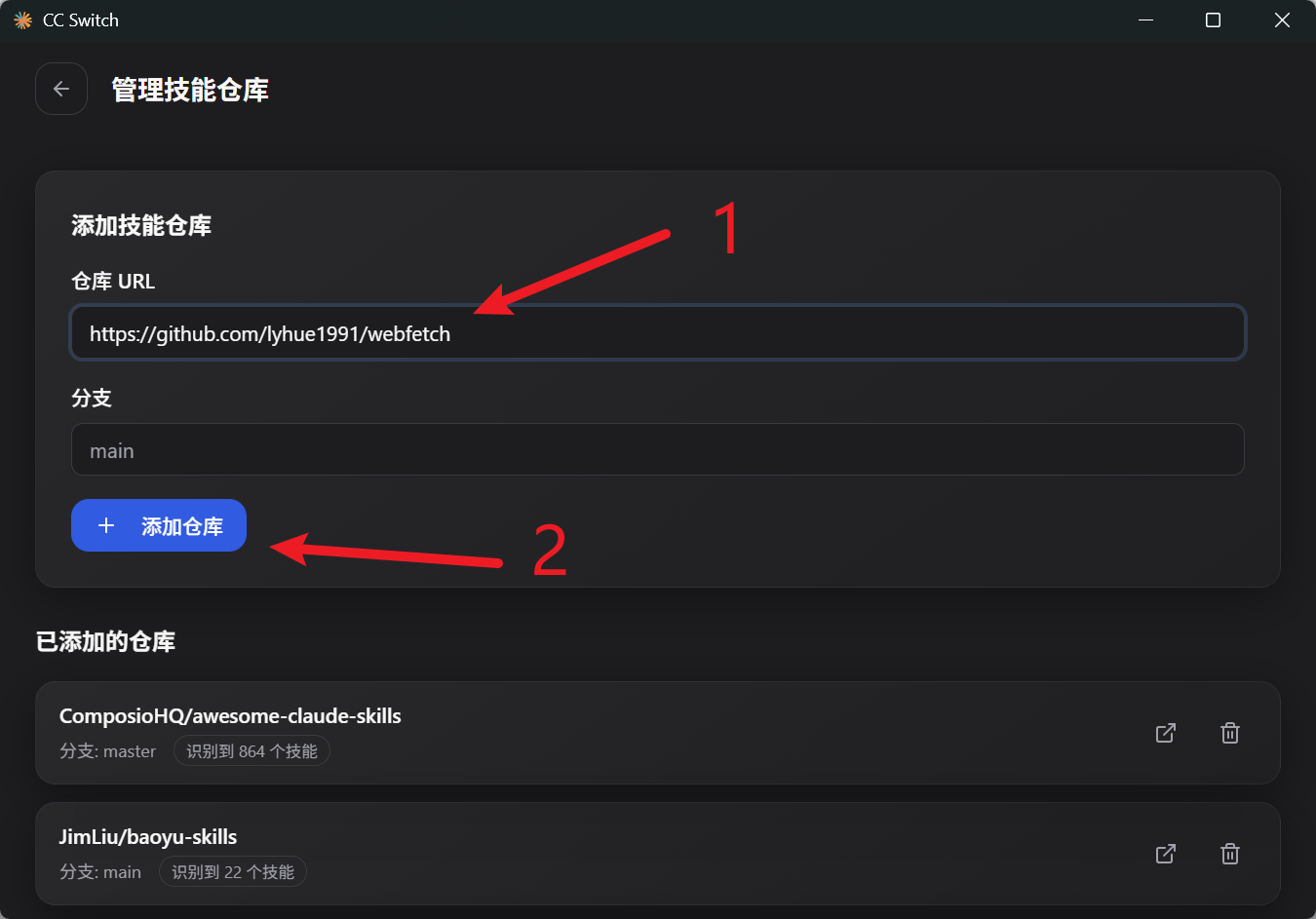
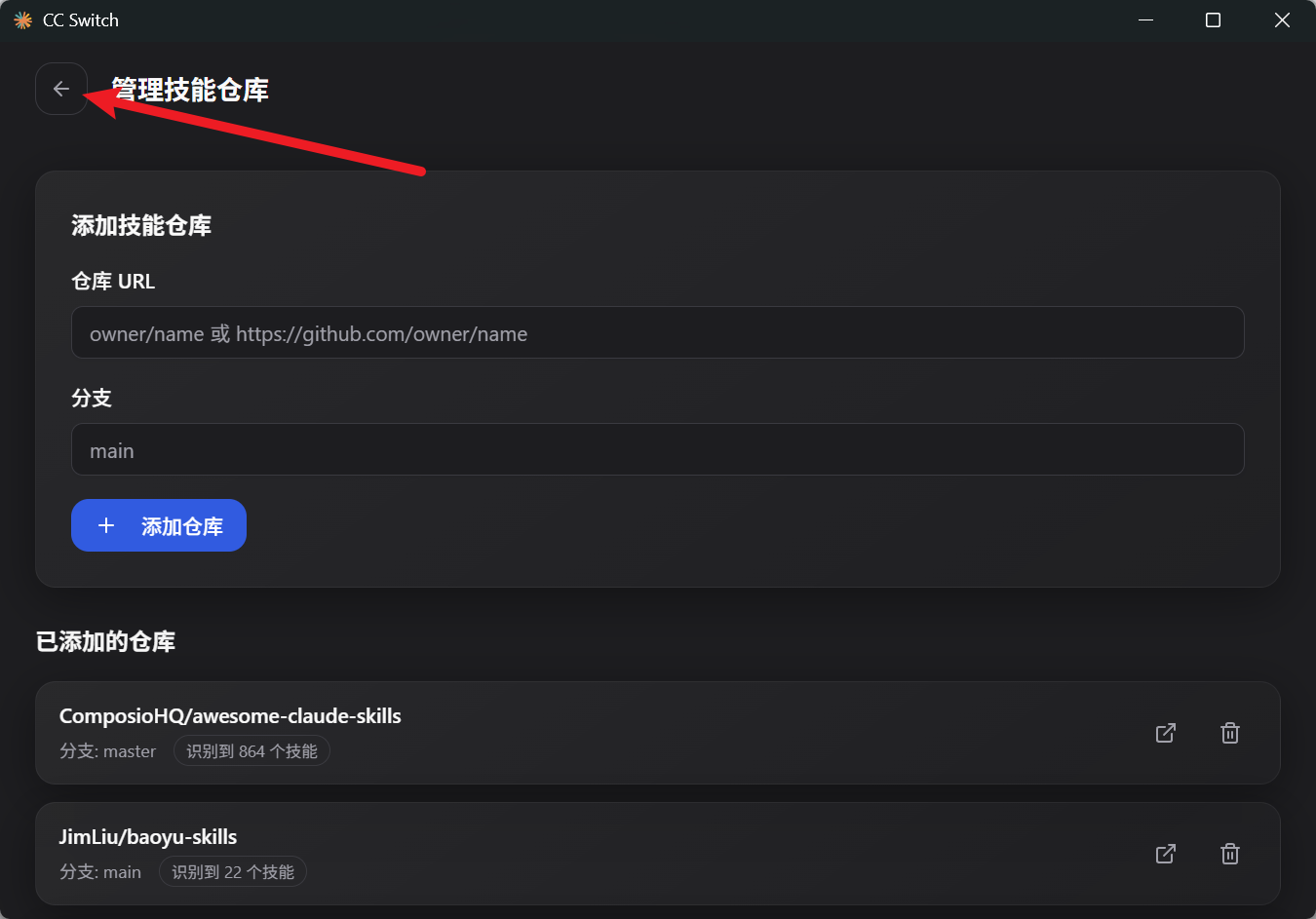
5,find-skills
6,tavily-search